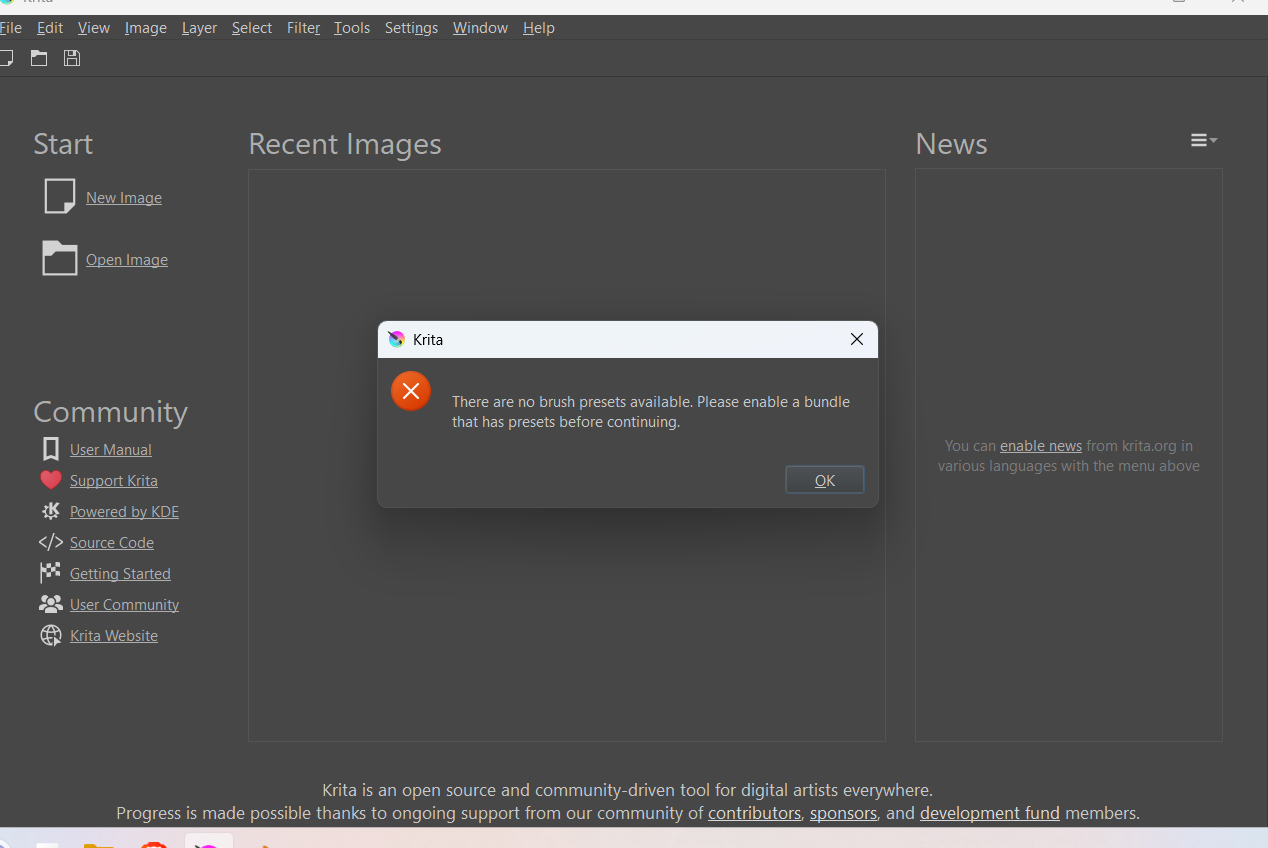
Brush presets and bundles don't load

Just opened krita and for some reason krita doesn’t load in any of the default bundles.

I haven’t tampered with any of the bundles at all. what should i do?

i’m on windows 11, version 25H2

I’m using krita ver 5.3.3. i downloaded from the oficial website and used the windows 64 bit installer

Please always name your OS and its version number/code name, we need it for supporting on point instead of vague answers since we don’t know for which system the answer is needed.
Also always name the version number of Krita and from where you have got your version of Krita. Was it from PortableApps.com, Steam, or the stores of Microsoft, Epic, Apple, or is it from Flatpak, snap!, the repository of your distro, AppImage, and in case of Windows is it the EXE installer version or a portable version?

You can try to follow one of the many hints already given on this topic as a search through the forum with help of its search facility (the magnifying glass symbol in the upper right corner) certainly has also revealed to you. But okay, you can try it with this one:

Or this topic from today:

The problem is that at least some users were unable to solve this issue with the given hints.
Michelist

Have you tried Settings/manage resource libraries to see which bundles are available. If they are deactivated, you can activate them from there.

i’m on windows 11, version 25H2

I’m using krita ver 5.3.3. i downloaded from the oficial website and used the windows 64 bit installer

hope this helps

And did you try to apply the hints I gave in the linked topics?

Michelist

i genuinely was about to start using the tips but when i opened krita up it loaded the brushes like normal

no outside tampering. it loaded as usual. I guess the issue resolved on it’s own

though thank you for all the tips you’ve linked me to. if this happens again i’ll try aplying them