A few weeks ago @ Silly_Sally requested this plugin
I already have a palette generator plugin , and since creating color boxes and handling HSV colors are already in there , I thought I give it a shot.
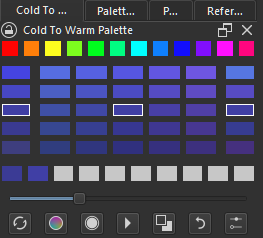
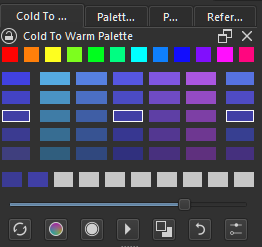
Here is my take; TBH There is some thing I couldnt quite get right.
I also found this a good partner with my other plugin.Very handy with painting and selecting shadows and highlight.
Demo:
PS: I made a minor update at 20:30 GMT + 8 - If you DL earlier i suggest to redownload it. Thank you.
Edit Update:
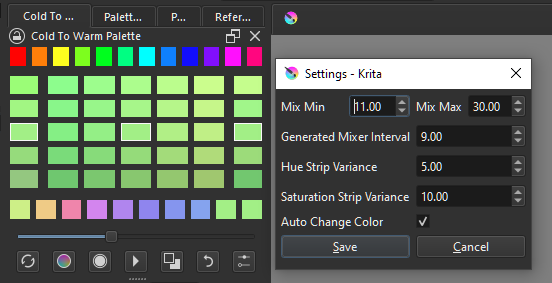
2024-09-16 - Fix issue with randomizer if value is float. Reduce setting precision to 0 from 2.
2023-07-30 bloodywing > Patch datetime to work with python 3.11
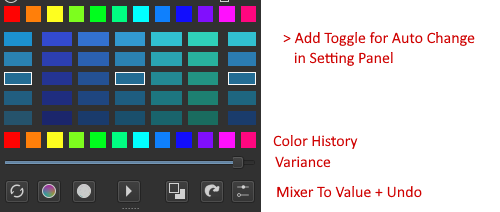
2023-08-21 New Features [Color Variance Slider, Mixer to Value, Auto Change]
ey Also want to thank you, no wonder you and SchordingerCat wanted this as plugin. Its very handy on shadow and highlight.
Do tell me if there is anything else, that I need to work on. I have not really manage to get shortcuts to work so I rely on Mouse buttons, LMB and RMB for the actions.
As an artist who struggles with choosing colors, this plugin is very helpful (i.m.o) and sure! if there’s anything else regarding plugin I’ll tell you :]
I still have issue with Undo on Auto Change Color [no problem with manual change]
I also adjusted the border on when it flips the cold warm side from 230 to 180.
Just posted this because Im happy with the result.
Specially with variance value moving to the main. I sure y’all will find that one feature helpful :3
Anyway once i sorted out the undo in auto change ill update the git and maybe make a much better demo vid.
If anyone downloaded the version this morning [GMT + 8]. There was a critical bug i discover while i was quick painting session tonight - i’ve seen it before but cant replicate. I now tracked and patched it. Auto change helped.
For some reason when mixing and the value is red [hue 0] it goes to gray or black… if going to violet or blue mix.
Hi Kaichi! Sorry for bothering you, the Cold to Warm Palette plugin on Krita 5.2 has some error. Every time I clicked the color palette it said Type Error: 'float’object cannot be intreperted as an integer
I don’t know what that means, so I’m reaching out to you. I hope you can help with this issue.
(As always thanks for making an awesome plugin for Krita)
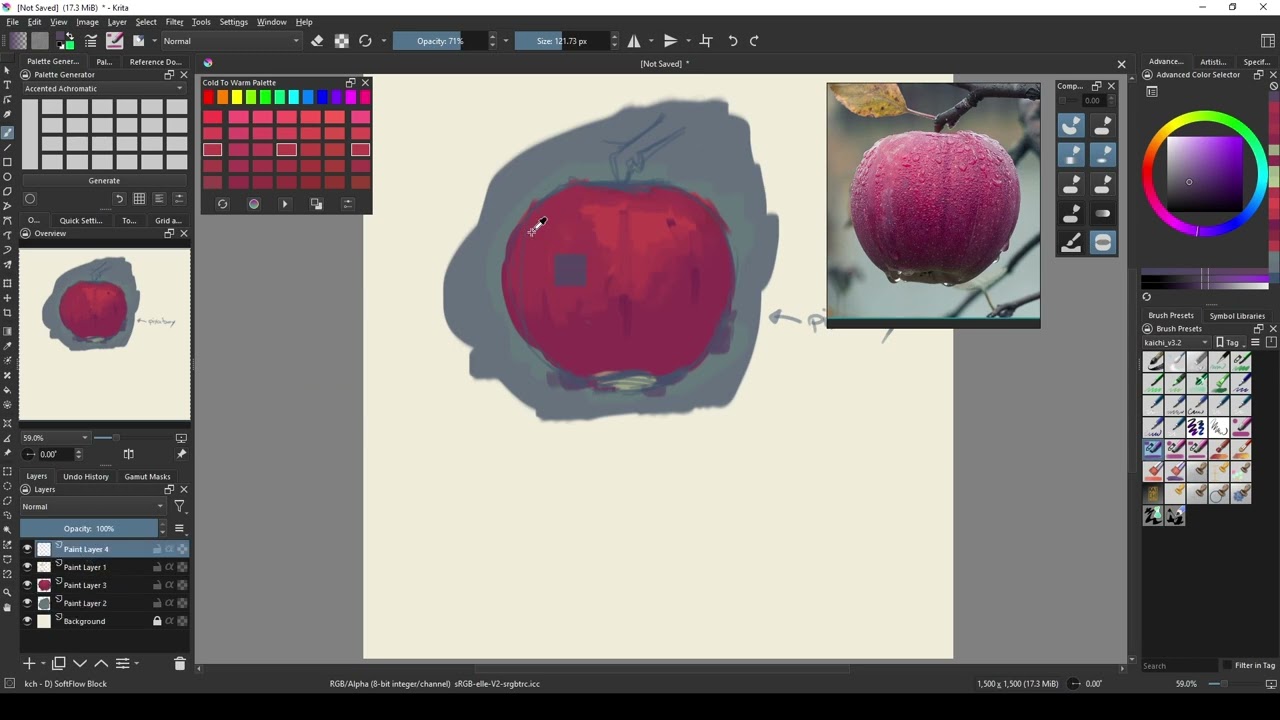

 Also want to thank you, no wonder you and SchordingerCat wanted this as plugin. Its very handy on shadow and highlight.
 .
.
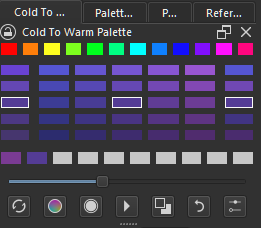
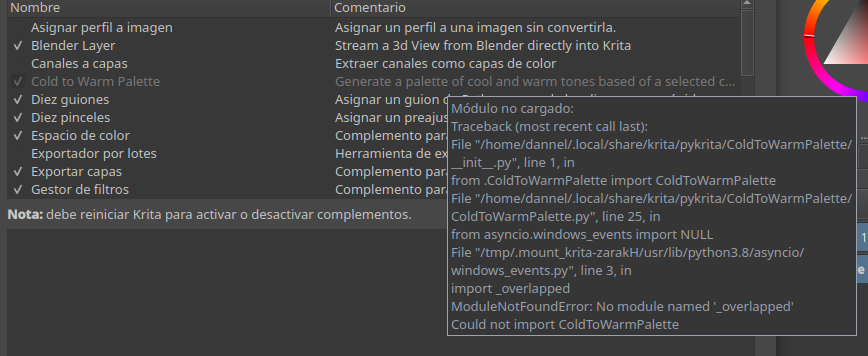
 probably when i was trying something.