Hi! is there any Krita Plugin similar to this plugin?
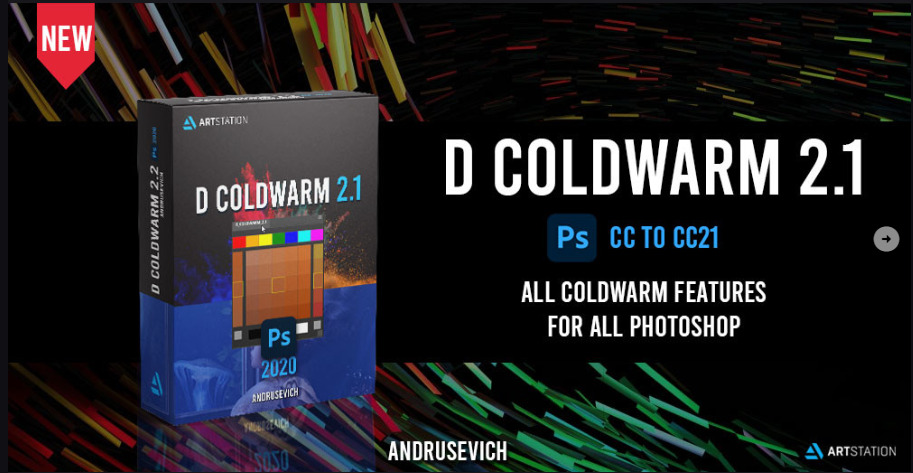
Hi, I moved your topic in the correct sub-category of the forum, because your post is not about a new resource offered for download, that is what the whole resource’s category is meant for, it is a question if there may be a plugin similar to that from your picture.
The next little problem is that you haven’t described the purpose and functionality of the plugin you want, and you can’t expect everyone here to know about this plugin, many here have never used Photoshop, let alone heard of this plugin. At least a link to the plugin on your image would help a little. The image and your topic title are a bit scarce for a well-founded and solid hint, if there is such a plugin for Krita.
Michelist
Maybe this one
Alright! thanks for the info. Sure! I will attach the link and hopefully, someone willing to make this plugin in Krita
I already tried this plugin but the function is different (based on the plugin demo)
What I like to use are the plugins "Scratchpad"¹, for color-mixing and brush-testing, “ShadeMaker” to quickly create graded palettes, and in addition the plugin “Pigment.O” already suggested by @Takiro. I think this combination is suitable to achieve something similar, even if not united in one plugin and with 100% of this functionality, but it should come close.
And probably it’s not the baddest idea to get the “Palette Generator” “on board” as well.  I think it fits well in this combo.
Michelist
¹ Direct >> download <<
Topic about Scratchpad on KA →
I guess less is really more for people
You all gave me idea to add new color scheme to the generator (warm palette/ cold palette).  I’m bit busy but Ill add this to my to do.
Aight! Waiting for the update :]
that would be great if this function will be added to Pigment.O :]
I’m gonna add demo video for D Coldwarm Plugin YouTube and also I found similar to Coldwarm plugin on GitHub but it only can function in CS6 GitHub - vasiliy-kuznetsov/Coldwarm: Plugin for Adobe Photoshop
Hopefully, this info help
sorry but Pigment.o already does it.
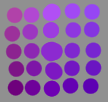
:0 Can you show how you do this?
It is just by using the kelvin slider. Can’t be more simple.
Also the results of this PS plugin seem a bit off in all honesty for what I can see on the website.
owhh I see, thanks for the info. The PS plugin according to several reviews isn’t that good. So I thought “hey, maybe Krita community has done this plugin”
I would like this to be a separate plugin, mostly because pigmen.o doesn’t work well on linux.
either separate or combine plugins, both are great
I tried.
mixer bar is default to 30 deg increment on the hue ring.
Mixer is probably going to be the harder part. also ensuring that im not flipping the cold and warm part.
Still not sure what two strip on left and right do.
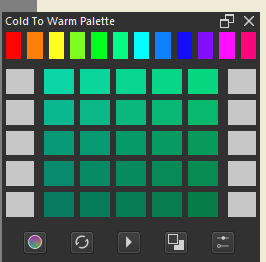
not gonna finish anytime soon. I just had free time last night and this morning.
The left column is variation in saturation and the right colum is variation in hue. It is just colour picker but with like shortcuts not really cold and warm stuff.
Mine works with all the colours but is kinda bad on the preview for cold and warm. This one would do it better if it was really that.
My draw back is that do it but is not physically based and more of a approximation. If you want real hot and warm you need XYZ around and I do with RGB alone so easy to use with hsv and hsl.
at this point the only thing i manage to do is to make all the action/interaction work with functions that are not 100% working as intended. so basically all ui/ux.
Im using your plugin as reference. The color manager i made back in palette generator that use HSV is what im using to generate the colors. It kinda work, but i know there are better ways.
it’s the mixer as i predicted that im struggling. 