can anyone supply me with a couple of fan brushes and how does one post drawings
Hi Michael
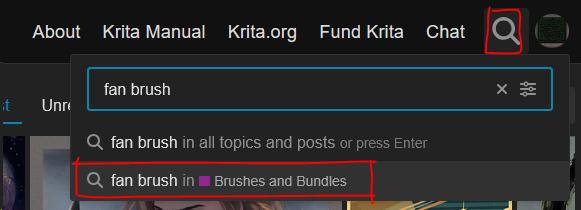
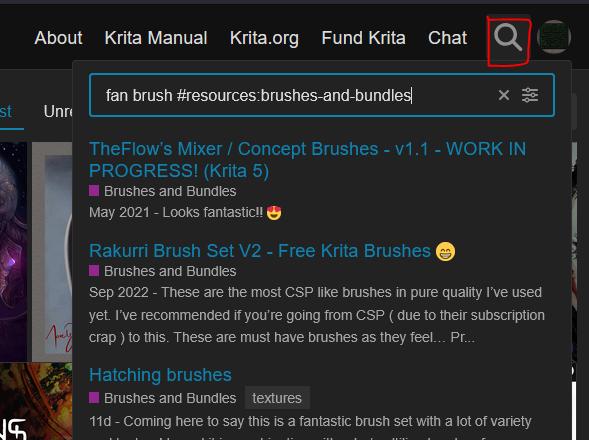
Go to the Resources category Brushes and Bundles , then click on the search and type the thing you are looking for, it should suggest searching only in Brushes and Bundles.
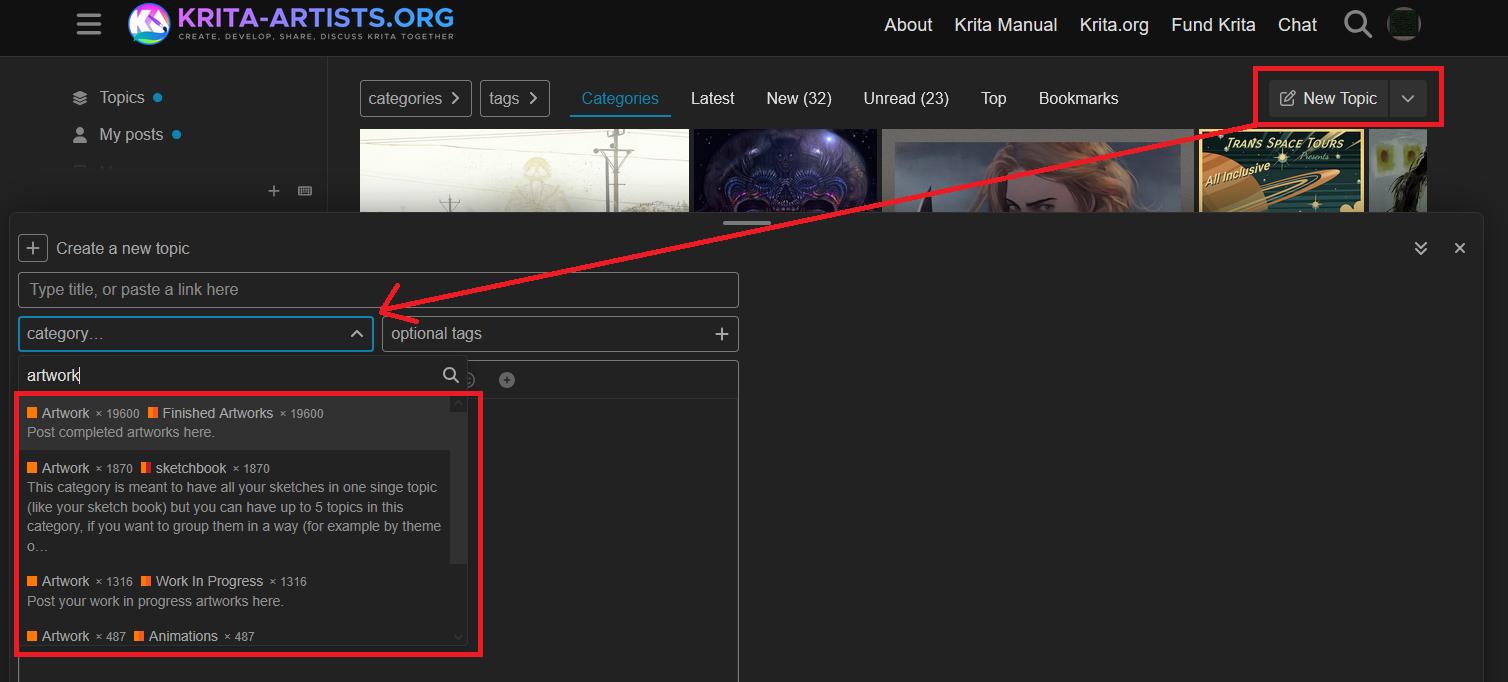
To make a post, go to the home page (click Krita Artists icon in top left) and look for a new topic button. Type artists into the categories box and pick the one that is most applicable.
.
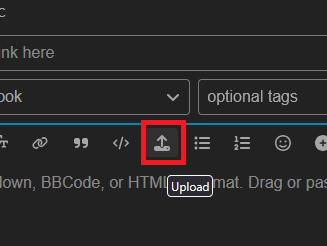
Look for the upload button to add your artwork, the site does not support .kra files so you need to export as jpg or png.
.
it should add a line to your message like this, you should see the actual picture on the right hand side preview
I’m on desktop so if you’re on tablet/mobile it may vary slightly. Hope that helps
You can upload pictures with this menu:
The maximum size is 3MB and the maximum dimension is 9 megapixels.
You can find tons of brushes in our resource category for brushes and bundles for instance this one:
Michelist
Ad/Edit: LOL! I’m too slow writing, and did not notice that this answer was more or less given already in between while me was writing!
By the way, although these are no fan brushes, you’ll probably love them:
[Example strokes] [Example painting]
Memileo Impasto Brushes
Some experiments with animated RGBA brushtips, made using a rotating light in Blender. Rotation set to Drawing angle in Krita. gih export with the first dimensions Selection mode set to Angular. That way the light directions stays roughly the same, regardless of brush stroke direction.
A limitation with this setup is that it doesn’t work correctly when the canvas is mirrored. Workaround by activating the mirror se…
As well as these:
[Metallics Poster]
A bundle designed to emulate metallic effects, for Krita.
This is my first time making brushes! If anyone tries them out, I’d absolutely love to see your art. These can definitely be improved, but I hope you enjoy! (。•̀ᴗ-)✧
Download Here!
──── ✦
This is an all-purpose bundle with brushes of phantastic quality and all kind, once paid, now Free forever:
From today all content from my Gumroad account, closed forever, and created by me from scratch is under CC-BY (Enrico Guarnieri) licence; so you can redistribute, share, modify the files etc. etc.
This is my gift for the Krita world community.
Thank you so much for your support! A big hug to everyone!
Michelist