Not sure if this should be its own thread or in this.
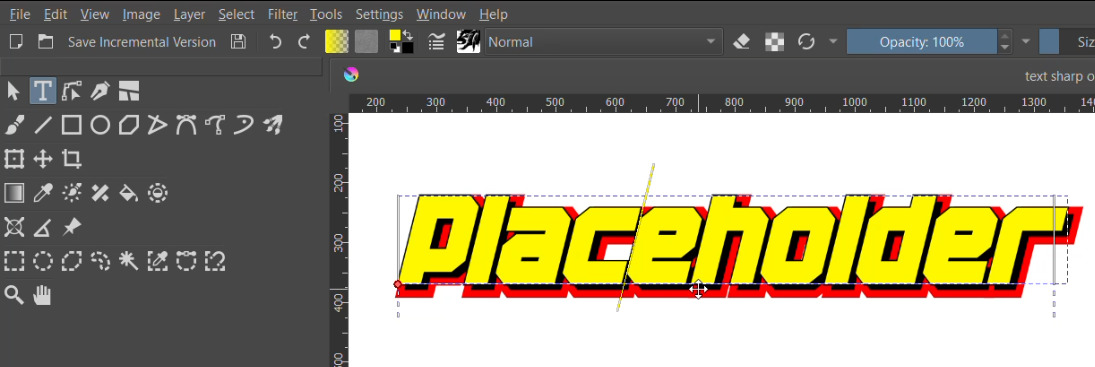
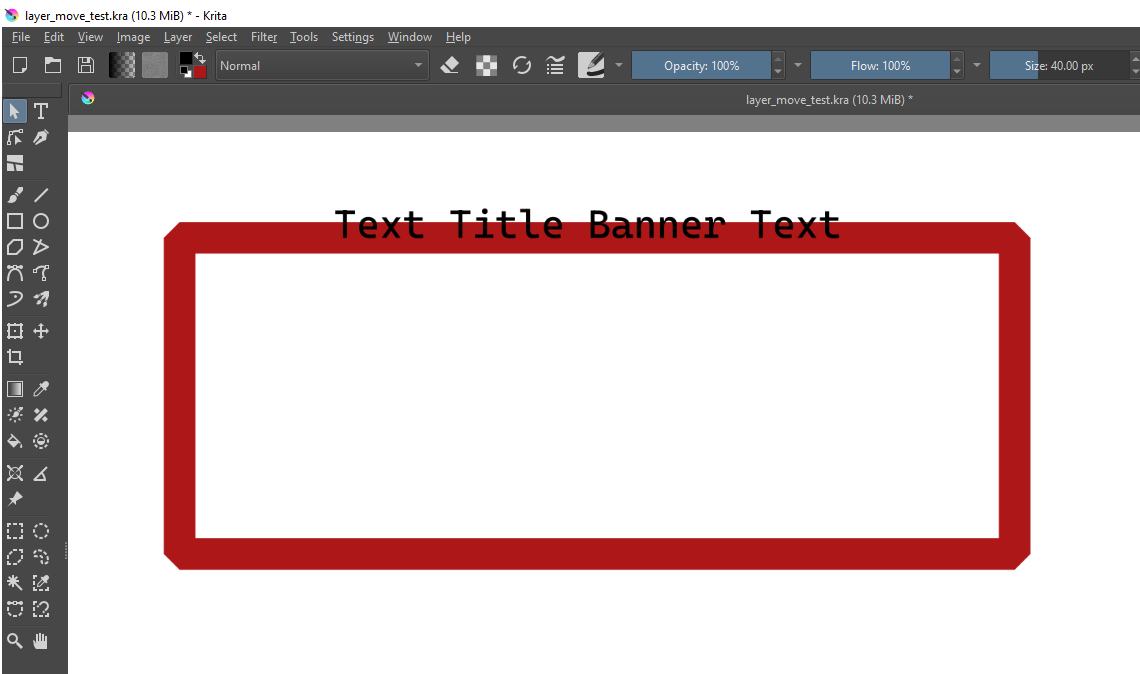
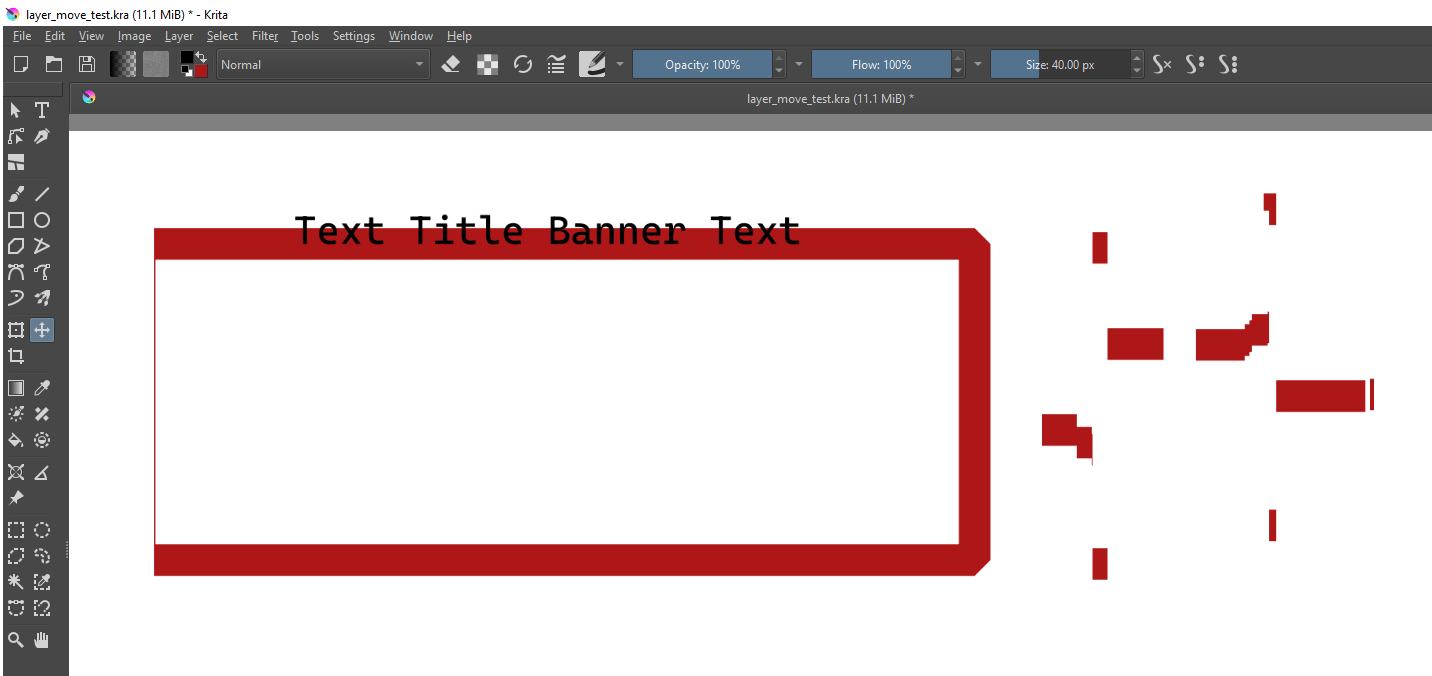
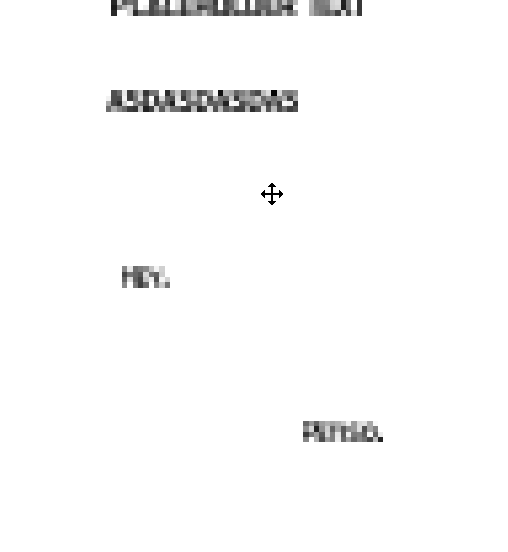
Files created in 5.3.0 have super blurry text, while files created in previous versions don’t. Using the appimage version in garuda as arch’s package maintainers are getting weird about having updated the repo to 6.0 and not wanting to downgrade to 5.3.
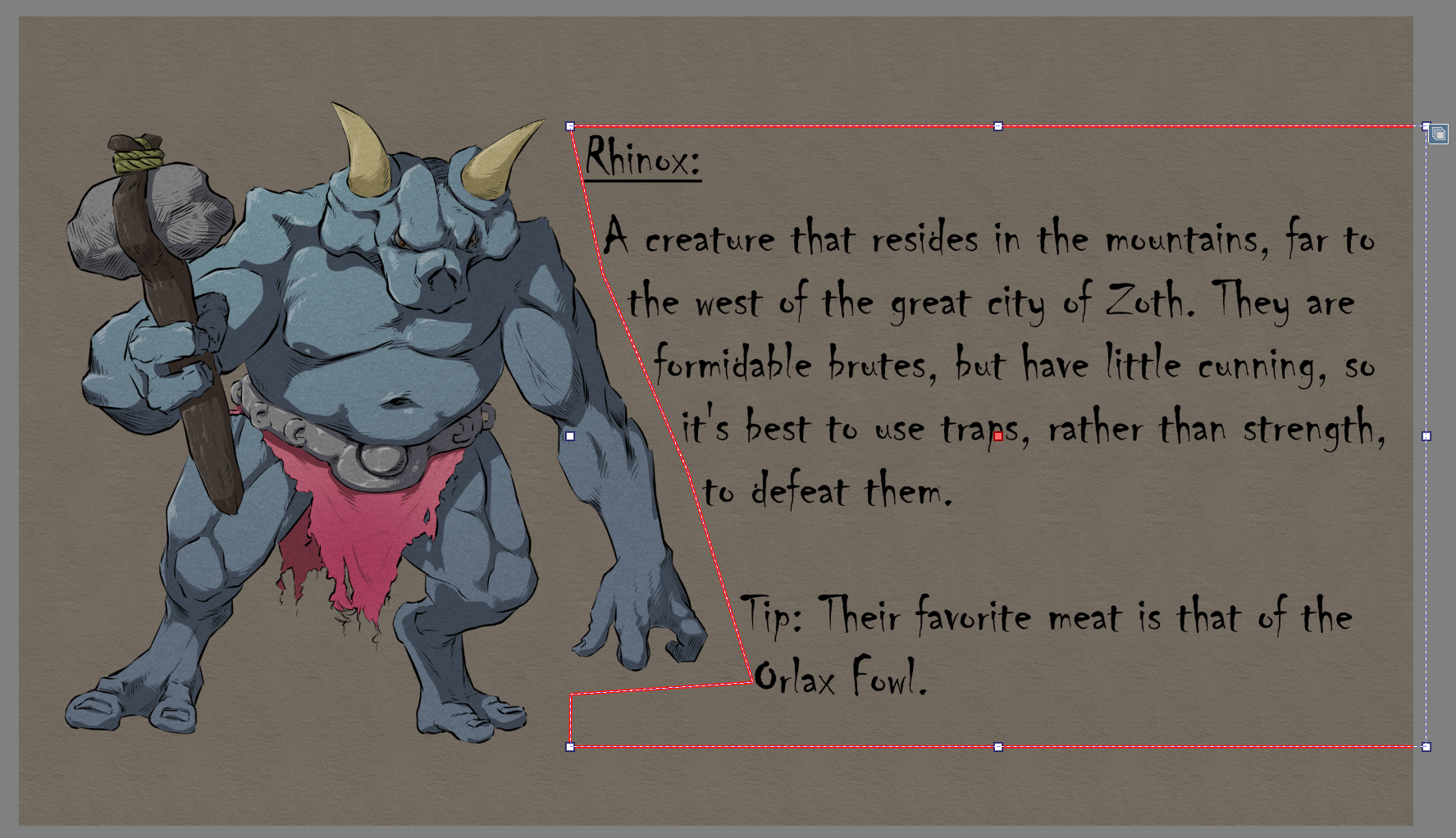
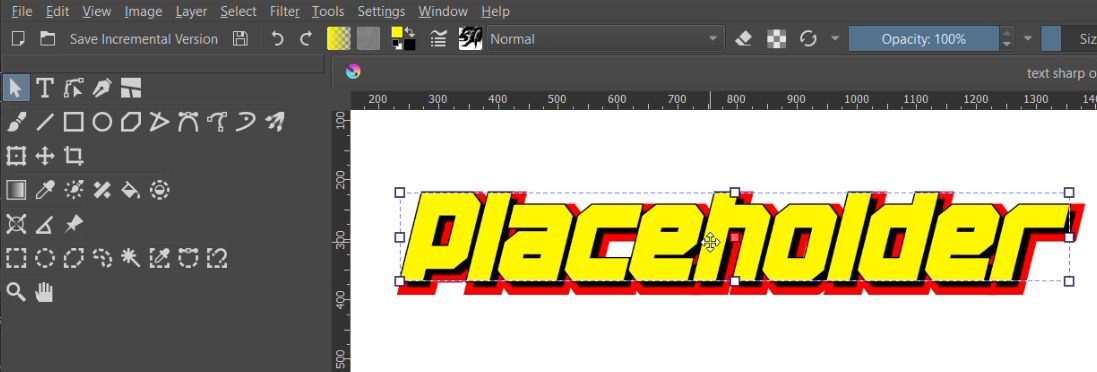
File created in 5.2, opened in 5.3. “Pro” was created in the 5.3 version to test it:

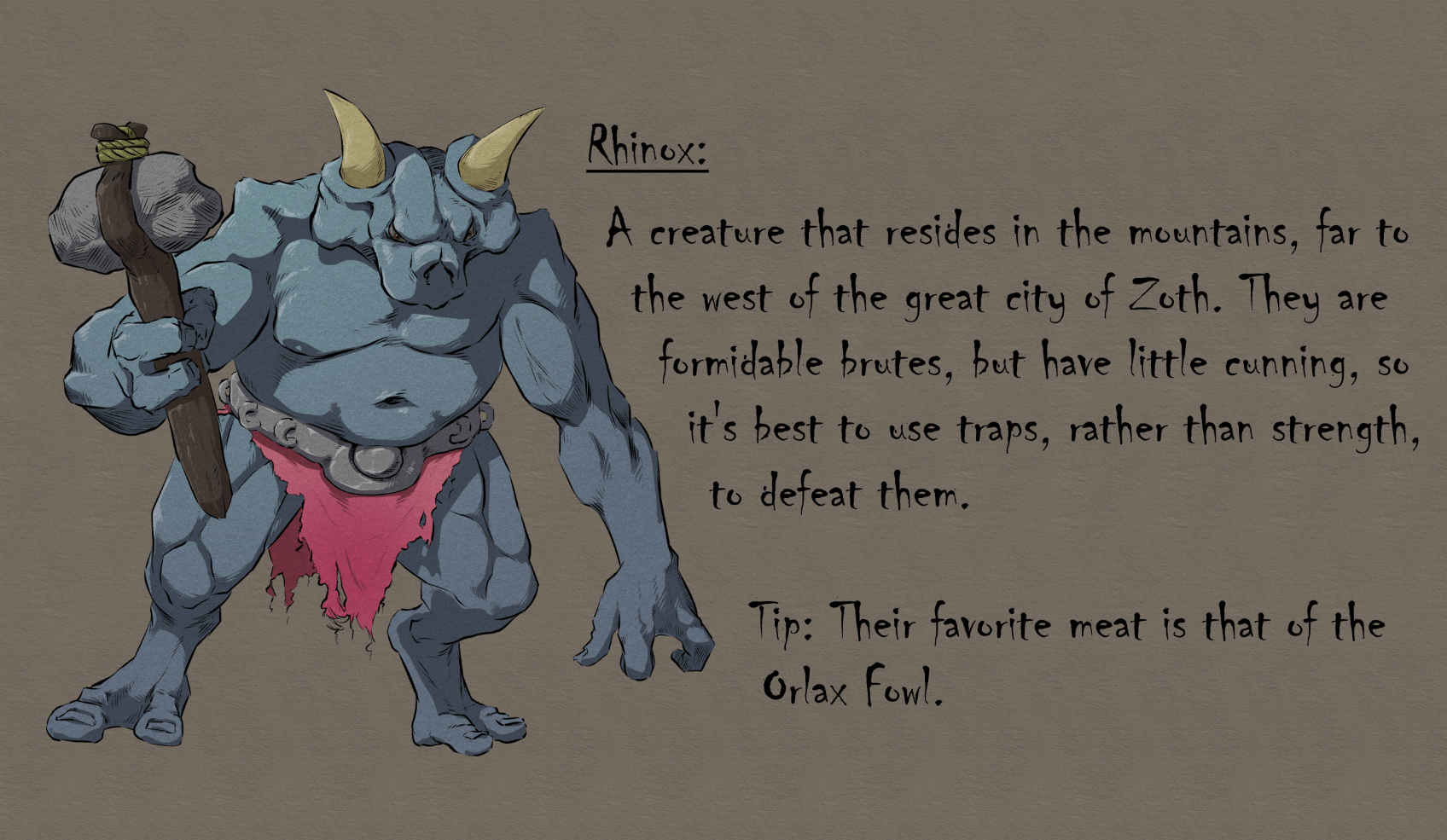
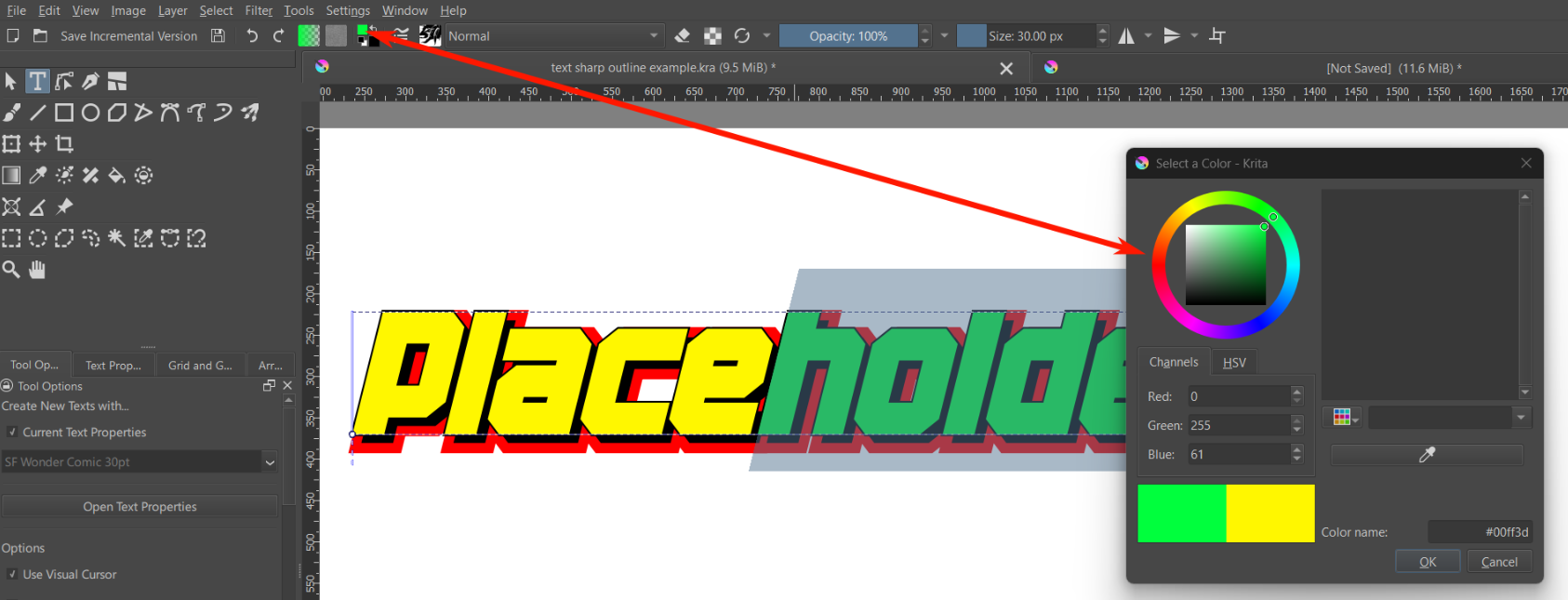
File created in 5.3:

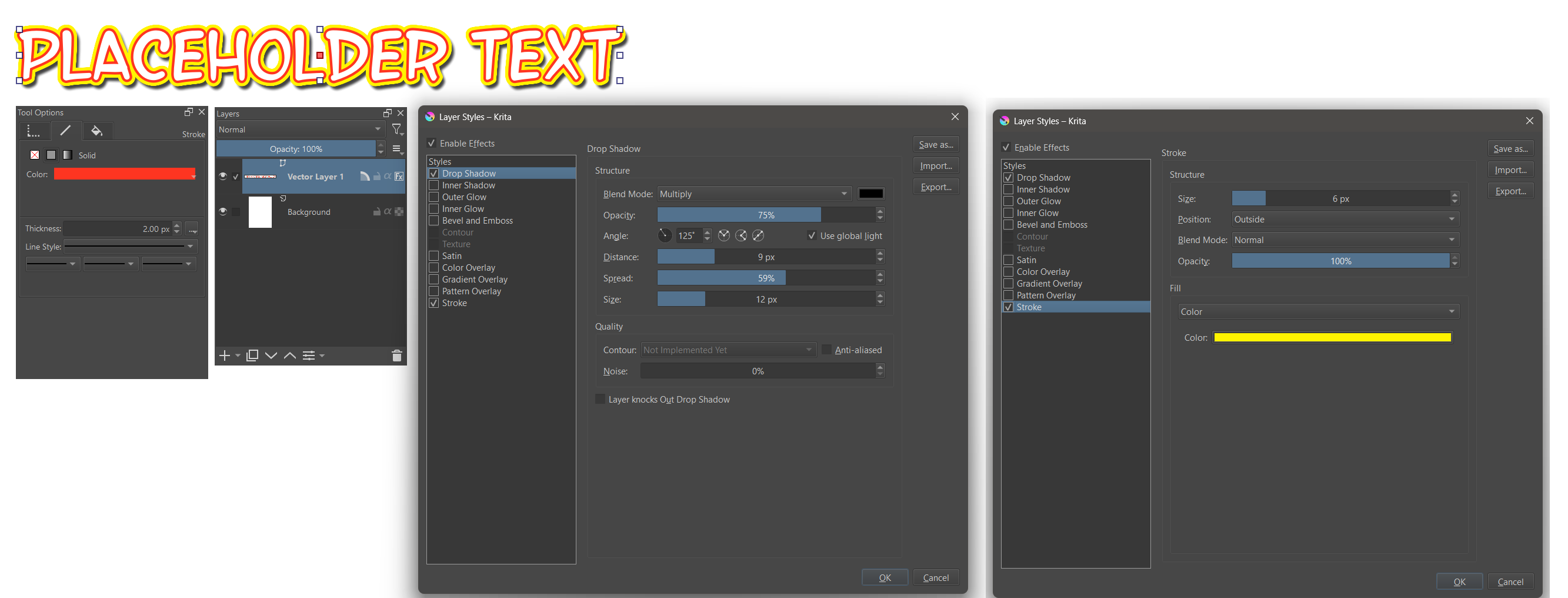
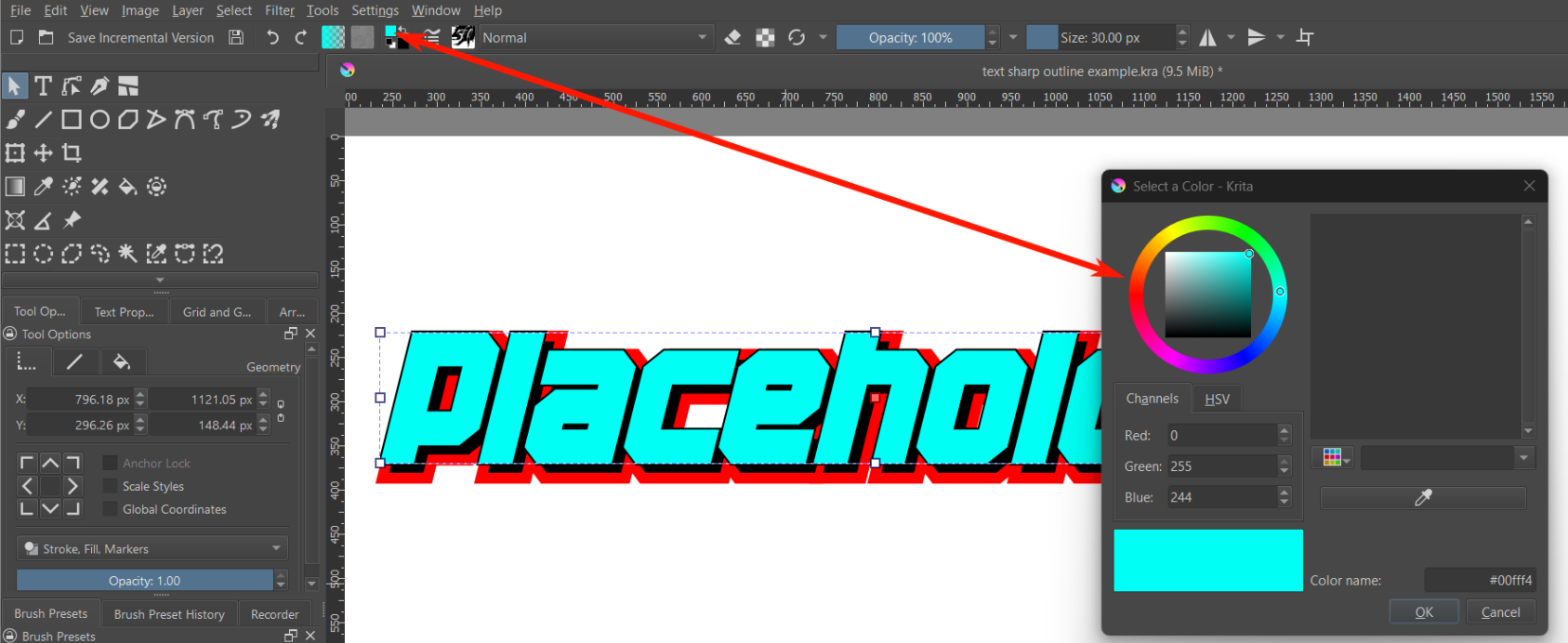
Same text object copied from the 5.2 file to a 5.3 file:

Idk what’s going on here.
Here’s both files: https://files.catbox.moe/gsul7y.zip . 12 13 will complain about missing a file layer file, but that layer’s not relevant as it has none of the text.
System info
Krita

 Version: 5.3.0 (git 148ce5c)
 Hidpi: true

Qt

  Version (compiled): 5.15.7
  Version (loaded): 5.15.7

OS Information

  Build ABI: x86_64-little_endian-lp64
  Build CPU: x86_64
  CPU: x86_64
  Kernel Type: linux
  Kernel Version: 6.19.9-zen1-1-zen
  Pretty Productname: Garuda Linux
  Product Type: garuda
  Product Version: unknown
  Desktop: KDE
  Appimage build: Yes

Locale

  Languages: en_US, en, en_Latn_US
  C locale: LC_CTYPE=en_US.UTF-8;LC_NUMERIC=es_AR.UTF-8;LC_TIME=es_AR.UTF-8;LC_COLLATE=en_US.UTF-8;LC_MONETARY=es_AR.UTF-8;LC_MESSAGES=en_US.UTF-8;LC_PAPER=es_AR.UTF-8;LC_NAME=es_AR.UTF-8;LC_ADDRESS=es_AR.UTF-8;LC_TELEPHONE=es_AR.UTF-8;LC_MEASUREMENT=es_AR.UTF-8;LC_IDENTIFICATION=es_AR.UTF-8
  QLocale current: en
  QLocale system: en
  QTextCodec for locale: UTF-8

OpenGL Info

  Qt Platform Name:  "xcb"
  Qt XCB GL integration plugin:  xcb_glx
  Vendor:  "AMD"
  Renderer:  "AMD Radeon Vega 8 Graphics (radeonsi, raven, ACO, DRM 3.64, 6.19.9-zen1-1-zen)"
  Driver version:  "4.6 (Core Profile) Mesa 26.0.3-arch1.1"
  Shading language:  "4.60"
  Requested format:  QSurfaceFormat(version 3.3, options QFlags<QSurfaceFormat::FormatOption>(), depthBufferSize 24, redBufferSize 8, greenBufferSize 8, blueBufferSize 8, alphaBufferSize 8, stencilBufferSize 8, samples -1, swapBehavior QSurfaceFormat::DoubleBuffer, swapInterval 0, colorSpace QSurfaceFormat::DefaultColorSpace, profile  QSurfaceFormat::CompatibilityProfile)
  Current format:  QSurfaceFormat(version 4.6, options QFlags<QSurfaceFormat::FormatOption>(), depthBufferSize 24, redBufferSize 8, greenBufferSize 8, blueBufferSize 8, alphaBufferSize 8, stencilBufferSize 8, samples -1, swapBehavior QSurfaceFormat::DoubleBuffer, swapInterval 0, colorSpace QSurfaceFormat::DefaultColorSpace, profile  QSurfaceFormat::CoreProfile)
  GL version: 4.6
  Supports deprecated functions false
  Is OpenGL ES: false
  supportsBufferMapping: true
  supportsBufferInvalidation: true
  forceDisableTextureBuffers: false
  Extensions:
     GL_ARB_multi_bind
     GL_ATI_texture_mirror_once
     GL_KHR_robust_buffer_access_behavior
     GL_ATI_meminfo
     GL_ARB_shader_clock
     GL_ARB_sparse_texture2
     GL_EXT_semaphore
     GL_ARB_cull_distance
     GL_EXT_draw_buffers2
     GL_EXT_texture_sRGB_R8
     GL_ARB_program_interface_query
     GL_ARB_shader_stencil_export
     GL_ARB_conditional_render_inverted
     GL_ARB_copy_image
     GL_MESA_shader_integer_functions
     GL_EXT_debug_label
     GL_EXT_demote_to_helper_invocation
     GL_AMD_gpu_shader_int64
     GL_KHR_no_error
     GL_AMD_vertex_shader_viewport_index
     GL_OES_EGL_image
     GL_NVX_gpu_memory_info
     GL_ARB_compute_shader
     GL_ARB_pipeline_statistics_query
     GL_ARB_shader_subroutine
     GL_ARB_map_buffer_alignment
     GL_ARB_query_buffer_object
     GL_ARB_texture_compression_rgtc
     GL_MESA_pack_invert
     GL_ARB_vertex_attrib_binding
     GL_KHR_parallel_shader_compile
     GL_ARB_transform_feedback_overflow_query
     GL_ARB_buffer_storage
     GL_ANGLE_texture_compression_dxt3
     GL_ARB_timer_query
     GL_ARB_vertex_type_2_10_10_10_rev
     GL_MESA_texture_const_bandwidth
     GL_EXT_shader_integer_mix
     GL_AMD_framebuffer_multisample_advanced
     GL_AMD_vertex_shader_layer
     GL_ARB_sample_shading
     GL_ARB_ES3_compatibility
     GL_ARB_indirect_parameters
     GL_ARB_fragment_layer_viewport
     GL_AMD_depth_clamp_separate
     GL_ARB_vertex_type_10f_11f_11f_rev
     GL_AMD_draw_buffers_blend
     GL_ARB_vertex_shader
     GL_EXT_texture_compression_dxt1
     GL_ARB_draw_indirect
     GL_ARB_shader_ballot
     GL_ARB_texture_query_lod
     GL_EXT_blend_equation_separate
     GL_EXT_transform_feedback
     GL_ARB_gpu_shader_fp64
     GL_EXT_shader_clock
     GL_ARB_texture_gather
     GL_EXT_texture_mirror_clamp
     GL_ARB_internalformat_query
     GL_ARB_occlusion_query2
     GL_ARB_shading_language_include
     GL_NV_packed_depth_stencil
     GL_ARB_sparse_texture_clamp
     GL_ARB_transform_feedback3
     GL_KHR_texture_compression_astc_ldr
     GL_ARB_texture_buffer_object_rgb32
     GL_ARB_pixel_buffer_object
     GL_ARB_compute_variable_group_size
     GL_ATI_texture_float
     GL_ARB_sampler_objects
     GL_ARB_texture_barrier
     GL_ARB_shader_draw_parameters
     GL_ARB_texture_storage_multisample
     GL_EXT_shader_samples_identical
     GL_AMD_conservative_depth
     GL_ARB_draw_elements_base_vertex
     GL_KHR_debug
     GL_MESA_framebuffer_flip_y
     GL_ARB_instanced_arrays
     GL_ARB_texture_filter_anisotropic
     GL_ARB_texture_storage
     GL_ARB_explicit_uniform_location
     GL_ARB_texture_swizzle
     GL_EXT_texture_swizzle
     GL_ARB_debug_output
     GL_EXT_texture_storage
     GL_EXT_framebuffer_sRGB
     GL_EXT_EGL_image_storage_compression
     GL_ARB_arrays_of_arrays
     GL_ARB_map_buffer_range
     GL_ARB_texture_buffer_range
     GL_ARB_clear_buffer_object
     GL_ARB_vertex_buffer_object
     GL_ARB_shader_atomic_counters
     GL_ARB_color_buffer_float
     GL_ARB_draw_instanced
     GL_IBM_multimode_draw_arrays
     GL_ARB_texture_float
     GL_NV_conditional_render
     GL_S3_s3tc
     GL_NV_depth_clamp
     GL_ARB_explicit_attrib_location
     GL_EXT_abgr
     GL_AMD_shader_trinary_minmax
     GL_NV_compute_shader_derivatives
     GL_ARB_shader_texture_lod
     GL_ARB_shader_atomic_counter_ops
     GL_ARB_direct_state_access
     GL_NV_shader_atomic_int64
     GL_ARB_gl_spirv
     GL_EXT_semaphore_fd
     GL_ARB_get_texture_sub_image
     GL_EXT_shader_image_load_store
     GL_EXT_texture_shared_exponent
     GL_ARB_half_float_vertex
     GL_ARB_provoking_vertex
     GL_ARB_robustness
     GL_ARB_get_program_binary
     GL_EXT_texture_integer
     GL_EXT_vertex_attrib_64bit
     GL_ARB_texture_multisample
     GL_EXT_timer_query
     GL_ARB_shader_image_size
     GL_ARB_gpu_shader5
     GL_ARB_tessellation_shader
     GL_ARB_fragment_coord_conventions
     GL_EXT_framebuffer_object
     GL_EXT_texture_filter_anisotropic
     GL_KHR_blend_equation_advanced
     GL_ARB_texture_border_clamp
     GL_ARB_texture_mirror_clamp_to_edge
     GL_EXT_texture_filter_minmax
     GL_ARB_draw_buffers
     GL_ARB_transform_feedback_instanced
     GL_AMD_texture_texture4
     GL_EXT_EGL_sync
     GL_NV_copy_image
     GL_ARB_texture_query_levels
     GL_ARB_clip_control
     GL_ARB_shading_language_420pack
     GL_ARB_derivative_control
     GL_ARB_texture_non_power_of_two
     GL_ARB_vertex_array_object
     GL_ARB_depth_buffer_float
     GL_ARB_sync
     GL_ARB_framebuffer_sRGB
     GL_ARB_shader_bit_encoding
     GL_NV_alpha_to_coverage_dither_control
     GL_AMD_seamless_cubemap_per_texture
     GL_ARB_fragment_shader
     GL_ARB_parallel_shader_compile
     GL_EXT_texture_compression_rgtc
     GL_ARB_enhanced_layouts
     GL_ARB_compressed_texture_pixel_storage
     GL_ARB_sparse_texture
     GL_ARB_transform_feedback2
     GL_ARB_depth_clamp
     GL_ARB_framebuffer_object
     GL_ARB_shader_storage_buffer_object
     GL_ARB_seamless_cube_map
     GL_ARB_clear_texture
     GL_ARB_shader_precision
     GL_ARB_shader_objects
     GL_ARB_shading_language_packing
     GL_ARB_half_float_pixel
     GL_EXT_pixel_buffer_object
     GL_ARB_seamless_cubemap_per_texture
     GL_KHR_shader_subgroup
     GL_ARB_multi_draw_indirect
     GL_EXT_polygon_offset_clamp
     GL_EXT_provoking_vertex
     GL_EXT_texture_shadow_lod
     GL_ARB_point_sprite
     GL_EXT_packed_depth_stencil
     GL_AMD_multi_draw_indirect
     GL_EXT_memory_object
     GL_AMD_performance_monitor
     GL_EXT_EGL_image_storage
     GL_INTEL_blackhole_render
     GL_ARB_shader_image_load_store
     GL_EXT_texture_array
     GL_ARB_texture_stencil8
     GL_EXT_texture_compression_s3tc
     GL_ARB_spirv_extensions
     GL_ARB_texture_rectangle
     GL_ARB_internalformat_query2
     GL_ARB_draw_buffers_blend
     GL_NV_texture_barrier
     GL_ARB_blend_func_extended
     GL_ARB_shader_texture_image_samples
     GL_ARB_vertex_array_bgra
     GL_KHR_texture_compression_astc_sliced_3d
     GL_EXT_framebuffer_multisample_blit_scaled
     GL_ARB_polygon_offset_clamp
     GL_KHR_robustness
     GL_ARB_copy_buffer
     GL_ARB_base_instance
     GL_ARB_ES3_2_compatibility
     GL_ATI_blend_equation_separate
     GL_EXT_memory_object_fd
     GL_EXT_vertex_array_bgra
     GL_ARB_texture_filter_minmax
     GL_ARB_texture_view
     GL_ARB_vertex_attrib_64bit
     GL_ARB_shader_viewport_layer_array
     GL_ARB_texture_compression_bptc
     GL_ARB_conservative_depth
     GL_ARB_texture_rgb10_a2ui
     GL_EXT_texture_sRGB_decode
     GL_ARB_texture_cube_map_array
     GL_EXT_depth_bounds_test
     GL_AMD_shader_stencil_export
     GL_ANGLE_texture_compression_dxt5
     GL_AMD_query_buffer_object
     GL_KHR_context_flush_control
     GL_ARB_sparse_buffer
     GL_ARB_texture_buffer_object
     GL_ARB_ES2_compatibility
     GL_ARB_texture_rg
     GL_EXT_packed_float
     GL_AMD_pinned_memory
     GL_ARB_robust_buffer_access_behavior
     GL_ARB_uniform_buffer_object
     GL_EXT_texture_snorm
     GL_ARB_stencil_texturing
     GL_EXT_shader_image_load_formatted
     GL_ARB_gpu_shader_int64
     GL_ARB_invalidate_subdata
     GL_ARB_framebuffer_no_attachments
     GL_MESA_texture_signed_rgba
     GL_ARB_separate_shader_objects
     GL_ARB_bindless_texture
     GL_EXT_window_rectangles
     GL_ARB_viewport_array
     GL_EXT_framebuffer_blit
     GL_EXT_framebuffer_multisample
     GL_ARB_shader_group_vote
     GL_EXT_draw_instanced
     GL_EXT_texture_sRGB
     GL_ARB_ES3_1_compatibility

QPA OpenGL Detection Info
  supportsDesktopGL: true
  supportsOpenGLES: true
  isQtPreferOpenGLES: false
  Detected renderers:
    (Supported) AMD Radeon Vega 8 Graphics (radeonsi, raven, ACO, DRM 3.64, 6.19.9-zen1-1-zen) (OpenGL ES 3.2 Mesa 26.0.3-arch1.1)
    (Supported) AMD Radeon Vega 8 Graphics (radeonsi, raven, ACO, DRM 3.64, 6.19.9-zen1-1-zen) (4.6 (Core Profile) Mesa 26.0.3-arch1.1)

useBufferInvalidation (config option): false
Log
SESSION: 28 Mar 2026 19:02:23 -0300. Executing /tmp/.mount_krita-ACIfmI/usr/bin/krita

Krita Version: 5.3.0 (git 148ce5c), Qt version compiled: 5.15.7, loaded: 5.15.7. Process ID: 39435
-- -- -- -- -- -- -- --
28 Mar 2026 19:02:23 -0300: Style: fusion. Available styles: Windows, Fusion
-0300: CLOSING SESSION
28 Mar 2026 19:03:22 -0300: Saving Document  as /home/duende/5.3 (mime: application/x-troff-man). 2048 * 2048 pixels, 16 layers.  101 frames, 24 framerate. Export configuration: No configuration
28 Mar 2026 19:03:22 -0300: Completed saving /home/duende/5.3 (mime: application/x-troff-man). Result: Krita does not support this file format.. Warning: . Size: 0
28 Mar 2026 19:03:25 -0300: Failed to initiate saving /home/duende/5.3 in background: failed to start background saving
28 Mar 2026 19:03:30 -0300: Saving Document  as /home/duende/5.3.kra (mime: application/x-krita). 2048 * 2048 pixels, 16 layers.  101 frames, 24 framerate. Export configuration: No configuration
28 Mar 2026 19:03:30 -0300: Converting from application/x-krita to application/x-krita. Location: /home/duende/5.3.kra. Real location: /home/duende/5.3.kra. Batchmode: 0. Configuration: none
28 Mar 2026 19:03:31 -0300: Completed saving /home/duende/5.3.kra (mime: application/x-krita). Result: OK. Warning: . Size: 174086
28 Mar 2026 19:03:31 -0300: Removing autosave file: /home/duende/.krita-36256-document_0-autosave.kra
28 Mar 2026 19:03:31 -0300: Saving Completed