I explored this forum topic and actually made a simple movie to look for the StoryDocker workflow.
Based on the current UI and UX, I considered what was needed for it.
-
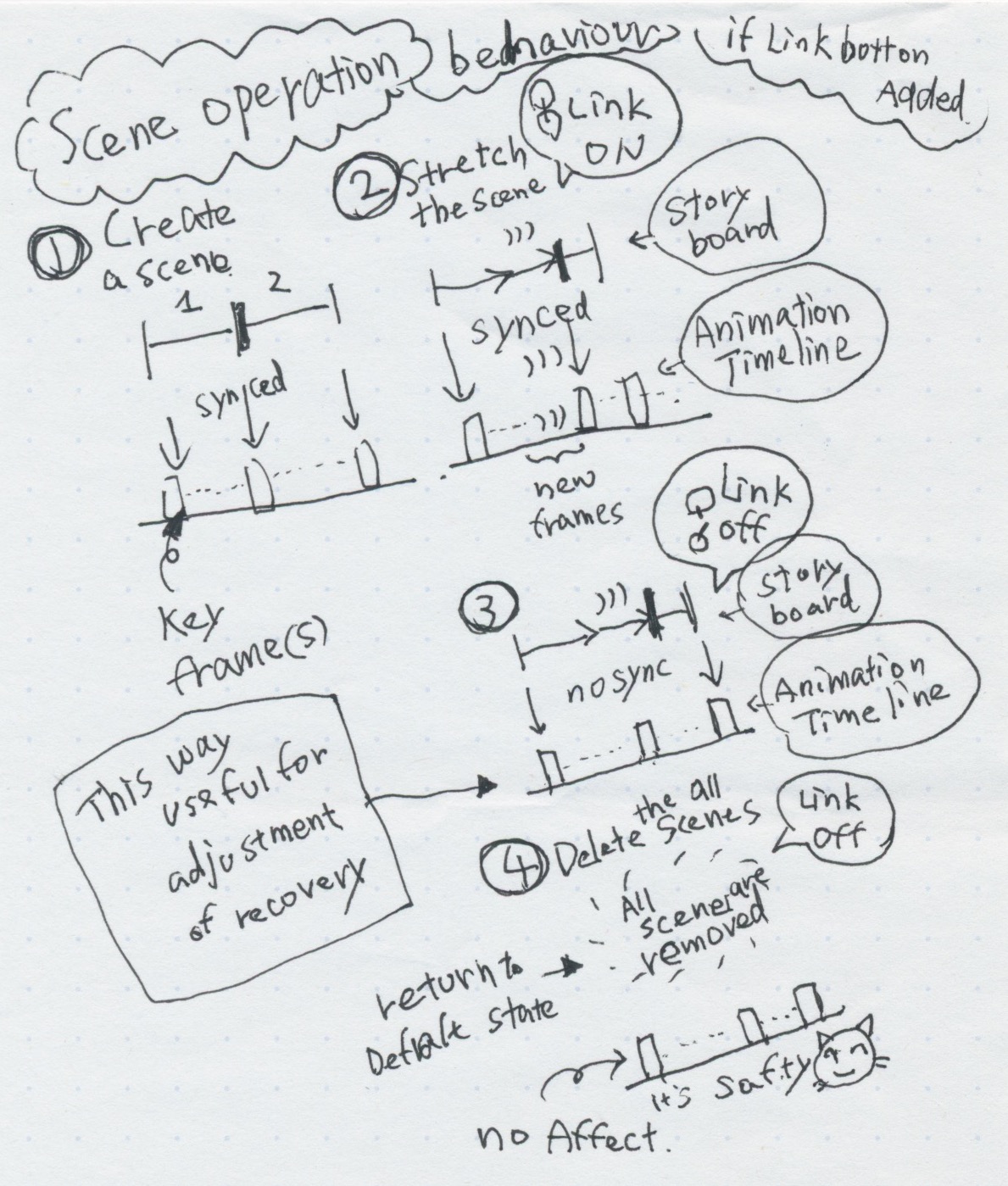
Add a button of “Link” to the StoryBoard Docker.
-
Add display of the FrameRate value on the StoryBoard Docker.
-
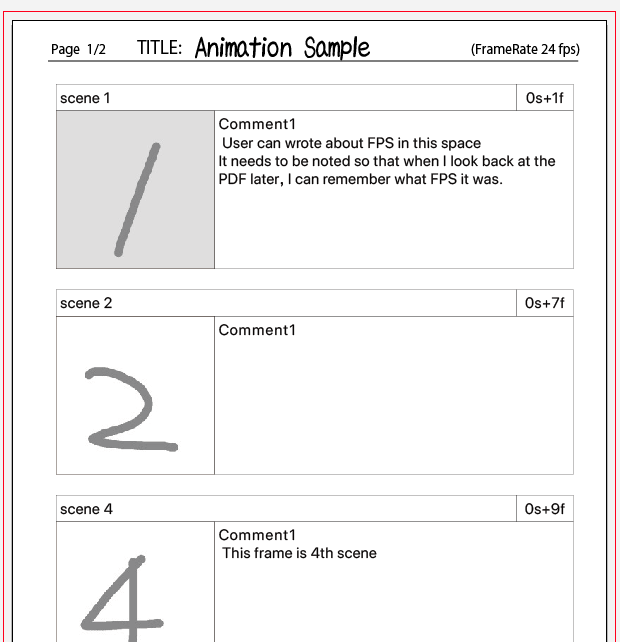
Output FrameRate infomation to PDF too.
-
Indicate of each scene range into Animation Timeline and Curves Docker.
-
Please add an icon-button of “Link” to the StoryBoard Docker.
(This could also be a chain icon, preferably next to the existing Lock icon.)
Storyboard Docker has very powerful override capabilities.
This allows to quickly create a rough movie structure like an animatic,
creating a template for each scene consisting of keyframes and hold frames.
However, if try to blush-up on that template,will end up destroying it.
So I’m afraid to use Storyboard and Animation TimelineDocker together, so I need this feature.
If this button active,it works the same as before.
If this button inactive,no affect frame on the AnimationTimeline Docker
In other words It allows to change the pointer and duration of each scene,
but it does not mess with the Animation Timeline.
- Display FrameRate value on the StoryBoard Docker.
Also, although StroryDocker has a spinbox for adjusting the Duration value,
it is unhelpful that FrameRate information is not displayed.
In particular, beginner users may not notice whether 1 second = 12f or 24f,
and whether seconds are rounded up when calculating frames.
It would be better if the FrameRate value was also written to the PDF file.
In currently,If you give someone a storyboard
The person will probably say, “How many frames per second in this animation?”
As an aside, I think it would be better to display the FrameRate on the toolbar of AnimationTimeline and Curves.
If that’s difficult, then display it on the Statusbar.
- Indicate of each scene range into Animation Timeline and Curves Docker.
In current version,just jump to keyframe,and understand hardly which range from start to end.
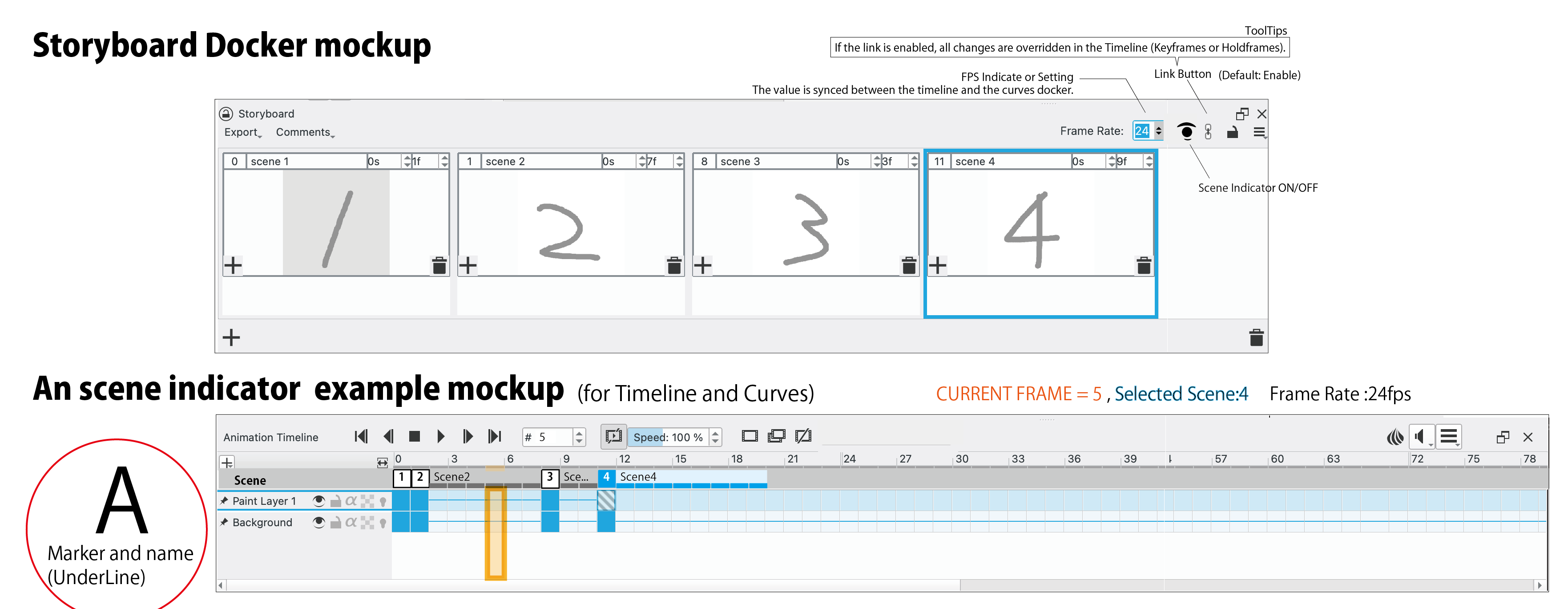
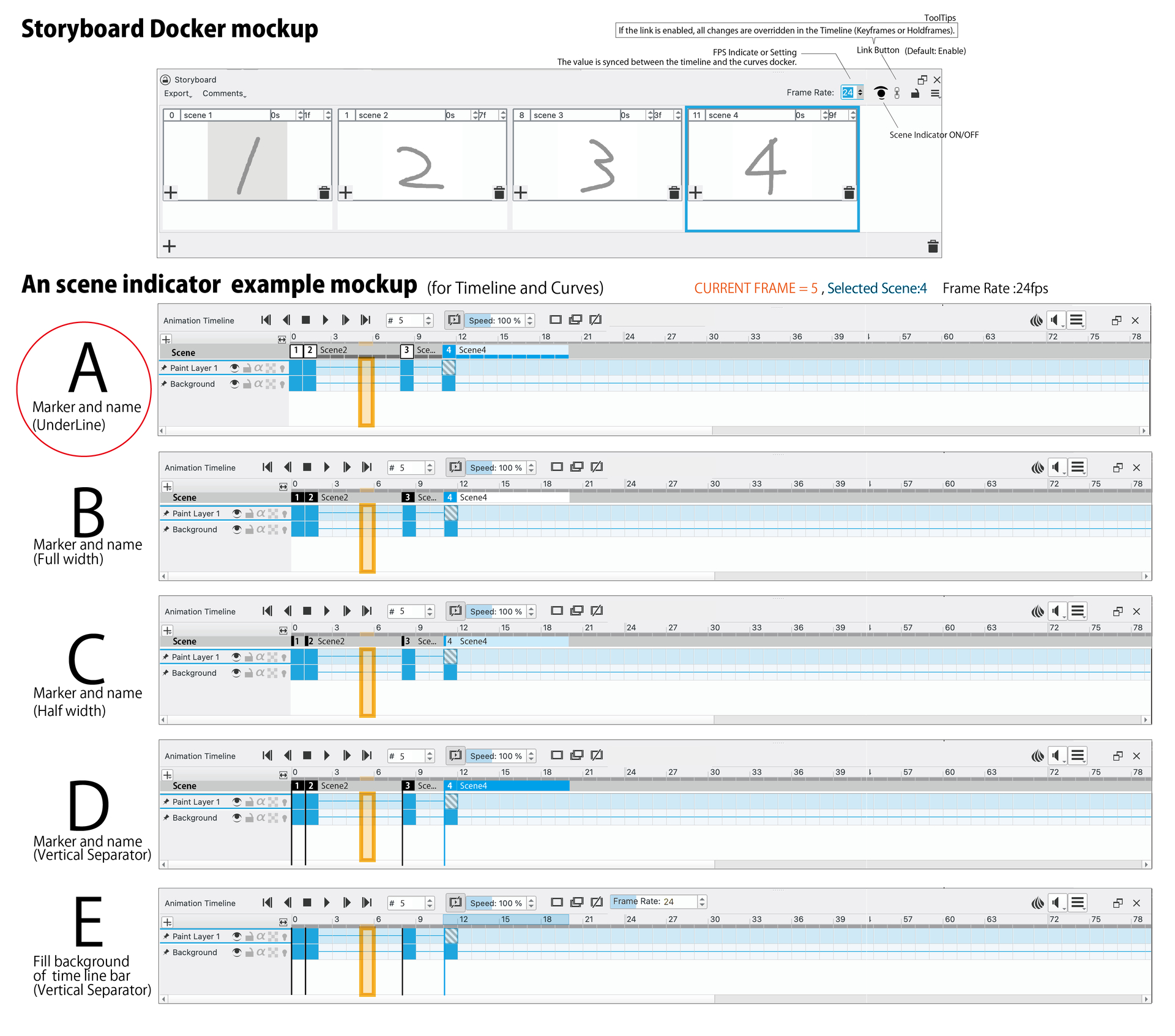
The UI Ideas of the FrameRate and Clips Information.
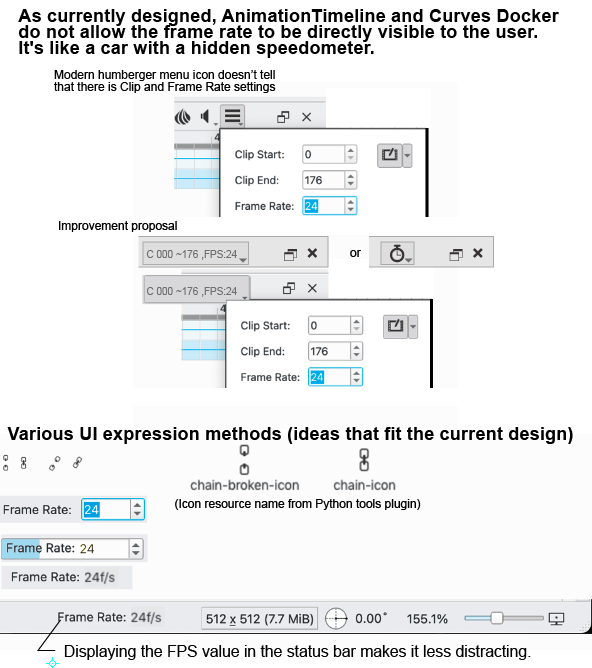
(Appendied)
References
https://docs.krita.org/en/reference_manual/dockers/storyboard_docker.html
Storyboard docker and layers workflow
Call for testing : Storyboard Docker
Storyboard Feature: Plans and Mockups
Storyboarding issues
How to insert images into storyboard docker?
UI Concept for Krita Animation Timeline