please post comic panels tools/layers/etc. ideas in that older thread (because that’s something I actively work on, while this thread here is more of an exploration topic)
remember the general rule for feature requests in Krita, if you want to suggest a feature based on another program, do this:
think first about the problem that feature tries to solve (and not just the solution, aka the feature itself) - what is the most inconvenient, or maybe impossible, without the feature? what is the problem with using already existing features?
think about alternate solutions to that problem (different features that could work just as well - be as imaginative/creative as you can! Don’t shoot down ideas “because that would be too hard to make”, even if that’s the case, we’ll say so; you can mark it as “pie in the sky” if you want to make sure others know you know it’s difficult)
think how that feature could be made even better, or what is the main flaw of that solution (it’s important to avoid repeating that mistake by Krita’s developers)
make sure to include all that info in your comment
describe the feature precisely from the user point of view (we might not know that feature or that program or have access to it)
when posting any feature request, always try to assess the priority of parts of the features and the feature itself. What is it that you couldn’t live without? What is it that is just nice-to-have, but not necessary at all?
writing down your workflow (or just parts of it) is usually helpful, though not always necessary (depends on the feature)
Hi,
I’m not sure if this would be included in this feature, but it’s difficult to create webcomics with the current features in Krita and it would be nice to have some things that could help with the process.
My Current Workflow
Create a project with the Comic Manager to hold all the pages
First page, 000, with a Width of 940 px
Draw all the thumbnails on this page
Add height by using the “Grow” feature in the Crop Tool
Add pages, 4700 px x 5000 px, in the Comic Manager that go with each thumbnail
Copy the thumbnails onto each page, creating the illustrations in those pages
Importing Panels into the First Page
Method 1
In Layer Docker, add panels by using File Layer and scaling it into the size of the thumbnail
Method 2
Export each page as a PNG
Import as Layer each page and scale to the sizes of the thumbnails
Export the Final File
Page 000
Image → Image Split
Horizontal Lines: Each page needs to measure 940 px x 4000 px (Divide up to 40 pages)
The ability to see the sections of the comic that would be visible on the either mobile screen or computer screen. In Krita, this feature is difficult to see when working on a document.
Divide Vertically by px
Also in the link above in the “Splitting and exporting your work” section.
A feature that would allow artists to split and export the pages to a certain size and it automatically shows how many pages would be created with this size.
Limitations
Due to the most popular webcomic websites, the websites have their own restrictions, such as a limit in how many pages that can be uploaded per chapter, 40 in Tapas as an example, and the page sizes, such as 940 px x 4000 px per page.
It would be great to be able to prepare pages and see the sizes the individual pages would be and how many pages in Krita before splitting and exporting the file.
Thank you for your time and for making Krita an incredible program.
Ah no, I misunderstood, we’d just extend that dialog then.
Actually, we should proly consider whether stuff like…
Bleeds/Margins/Etc should be a seperate layer, or should have a generator for it so the guides get set properly.
I have a comic template where I have a vector layer and a set of guides to line these out. The comic manager can also generate these, but it could be smoother, imho.
Generally better guides-handling would be nice, I think?
I’d also want better detection of a good default format. Right now the comic manager offers an american default comic template when it detects your computer using inches, and an european default comic template otherwise. I think I mostly did this because I was polishing the dialog during string freeze, so couldn’t offer a dropdown.
Another thing I’m wondering, might it be an idea to have a better preview method for scrolling webcomics? Like, for example, that you just work on a section at a time in a seperate canvas, but then there’s a window or dialog that shows all the pages vertically? We already have this for paged comics, so we could extend that?
Image split is magical. Idk who it was, there was a webtoon artist on Yt who pointed that it exist to me.
If in terms of dividing the page I found - using the guidelines adequate in marking when one page start and the other ends. [since webtoon is a continuous flow]
Improvements on that can be made like counting how many page there, which i agree with @tiar it seems easy enough.
here is my template with the page cutting done by guides. if you didnot add gutters on top and bottom. Once gutters are involve… it calculates differently. So i guess this can be an improvement to the guides tool instead. Adding gutters.
Yes. I agree - about incorporating gutters to the guides.
here is one of my template. Og height is 1240 * 8. and the guide is 640 in yspacing. It does its job denoting where a page starts and end. Note the lack of top gutter…
Thank you @tiar, @wolthera, and all Krita devolopers for always thinking about us and for helping us with our needs as artists.
I think a generator would be great! It would help to even the placement of the panels, helping with the flow and narration of the story, and might be visible in the mobile view to see where to place the thumbnails and final panels.
For the panels, when I use panels and templates made for Krita, they are sometimes difficult to use, like to cut a panel and place it in thirds, and I cannot remove the lines to be able to create a fade effect (mostly as a long panel).
The panel styles on this comic are what I try to create in my comics: https://shieldmanga.io/manhwas/i-raised-the-beast-welll/chapter-5/
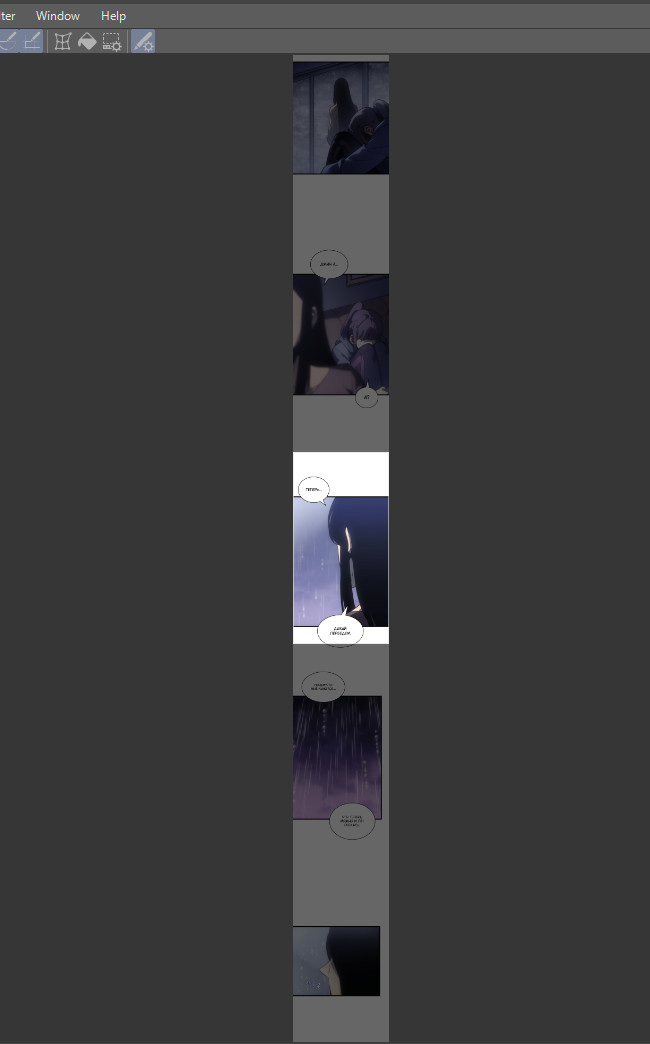
For the preview method, I was wondering about a way to activate a dialog box over the canvas that grays out the rest of the section that would not be in mobile or computer view that can scroll as you work, or can be deactivated to work on the comic as a whole. Would this be possible?
Thank you @tiar for all your attenteion and hardwork! I’am sorry I was in shadow, I had and still have some issues that prevented me to use my PC…
To the topic, here the repost of myself:
I would like to see some things in Krita for the web-comic format: usually page with extreme long ratio. Currently I working myself on the web-comic project. Sadly, for the most of work I have to use CSP – mainly bcs of feature #1 I suggest
Next is my suggestions:
I would like to have an option to check fitness of image to certain ratio. Essentially is 1/2 ratio frame that dimms canvas outside frames, is attached vertically to the center of document view and zooming with canvas.
The tool need to have an option to change a ratio.
Basicaly main goal of the tool is make friendly-orientied composition to the smartphones and mobile devices. Still it useful for desktops too, since it help artist to make rhythms of frames more steady.
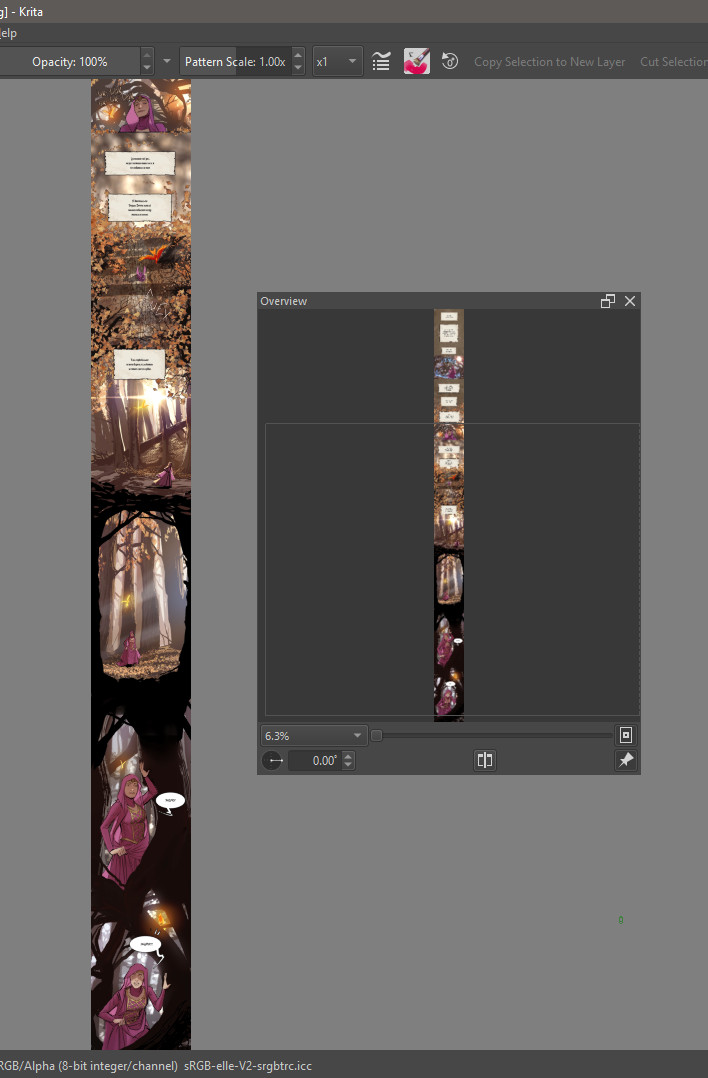
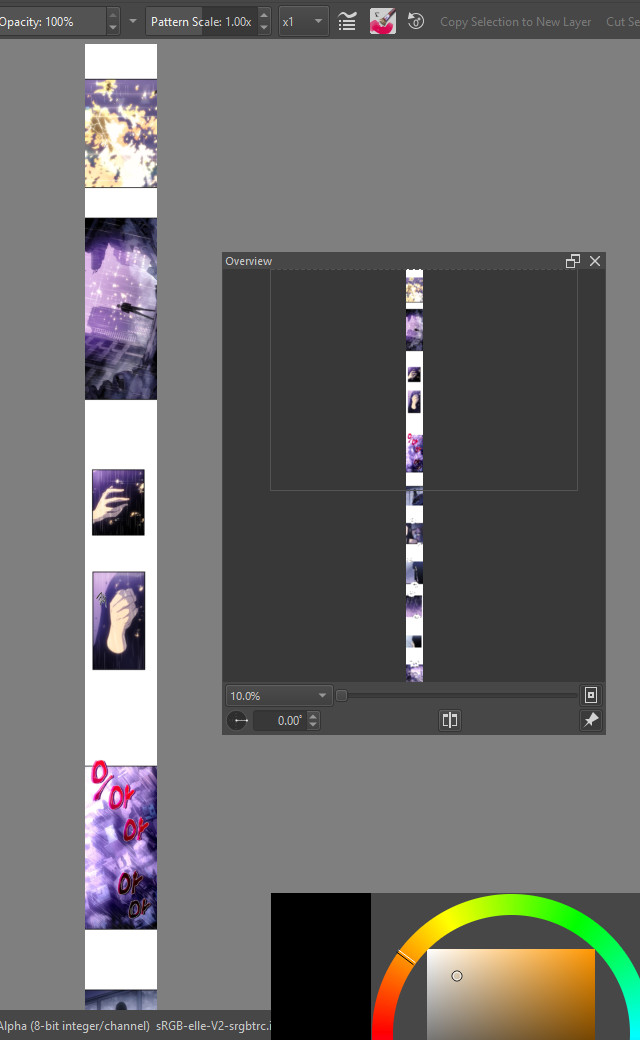
The window in Krita doesn’t fit all canvas at minimal zoom. It is good to see all canvas in order to fix composition issues.
Despite of frames may look separates, often artists make interesting chooses to unite all 1/20 ratio frame.
Currently Overview docker may do this function, but for that you need an additional free space on the display or the second display. Moreover dynamically zooming in any range is more convenient than docker’s window.
Actually the problem concerns not only comics, sometimes there is not enough zoom out for a single illustration with a standard proportions – for an early stages of painting to see tiny thumb of the image is good thing to check a values.
1/13 (1600x22015px) example with minimal zoom out:
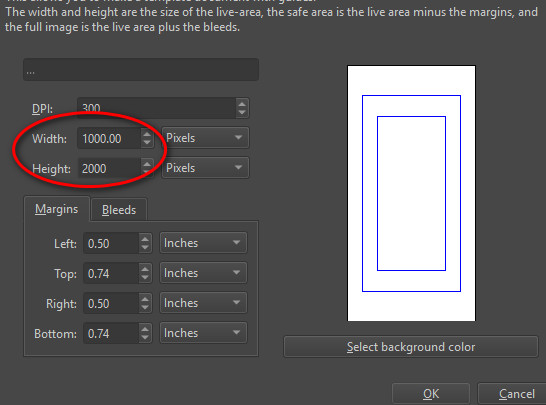
3 (Idk repeat #3 or not since @tiar already accepted to fix it) Not so important but there is a bug/feature that prevents to make template size more than 10000px in comic manager:
thats nifty feature request to be able to highlight what chunk of piece can be viewed on specific orientation. I can see this work not only on long portrait , but can be of use to for long landscape or when you are designing something that is meant o be cut/ sliced in certain chunk.
I have plugins that could probably help with part of this I just have to calibrate them a bit.
Considering:
1- guide generation by pixel distance > Tela
2- image highlighting by ratio and scroll > ?
My question would be for point 2 only. if you want to see this like in realtime as you draw or you prefer check it on several files you have saved to disc?
I think my biggest struggle (except panelling) was:
Lettering
Workflow in floating window was really hard, each time I wanted to see how my text looks on the page I had to click Save to see result of my changes and move text window to second monitor. Even if the text editor window was just a simple docker that would help a ton. Problem is when something is floating on your canvas or blocking input, or requires to use mouse when your hands are on keyboard.
The need to close the window before moving to other text block was also problem. Some bubbles work together and to get them right I have to tweak them both, and constant switching between them that I had to perform was slowed down.
I wish there was maybe a TAG system similar to brushes but for fonts. If somebody has huge collection of font’s and half of it is not even for comic books it might take some time to switch to right font. Especially if you don’t remember the name and you are working with Sound FX text
Decorating text. It’s huge importance to be able to nicely decorate text especially for SFX.
1.1. Sometimes you have few text blocks on one Vector Layer it’s not obvious nor fast how to move them to separate layer to be able to work on them individually. For example to apply transform or layer styles or some Group Layer Effects.
1.2. To shape the the font in crazy form used for SFX only way is to add Transform Layer to a Group or Transform Mask but the transform itself is raster based not vector based which sometimes produces noticeable loss in sharpness or artifacts on the font.
1.3. Layer styles are a bit limited in area of creating borders and styling.
1.4. Layer styles preset management is very limited, there is no way to duplicate style, tag them, change name or manage comfortably. It would be an issue in bigger project or for users that work on few projects and want to have good collection of styles ready to be used or base new styles on.
1.5. It was also inconvenient that when I was installing fonts I had to restart Krita it slowed my experimentation especially when working on the new project and developing style for it
Page Management
Easy way to switch between pages like in comic book so I can retain flow of reading.
Create page grid view to see all my pages in sequence at the same time to compare them
Easily display 2-3 pages at the same time next to each other so I can check the flow between pages easily
Mixing that page viewing with opened files that are just single panel used as File Layer
I think partially problem lays in that the Tabs/Floating Document View is in preferences and can’t be switched dynamically nor easily. But separate view might be needed? It would be nice if we could paint in this view tho, it would be great for story-boarding the comic.
That’s all that I remember for now let me know if you need more details or examples!
Have you ever used Comic Manager? Maybe the features you talk about could be integrated into Comic Manager (some of them are missing, and some can be improved).
About tags for fonts, I don’t think they are planned, but I do think there were some talk about listing fonts used recently somehow on top… or a list of favorites… it’s definitely something to improve upon.
Wolthera is redoing the text layout system, after that on canvas editing should hopefully be possible. In the meantime, you can try LazyTextTool plugin.
I remember there was some mention of font presets but not sure if that was planned or simply a passing comment. Though since you are talking about things like special effects for comics that are reused. Why not generate a vector library? Then the fonts would already be there and even the text.
Halla added copy and pasting layer styles in 5.1, for 5.0 you can use the ShapesAndLayers plugin. ShapesAndLayers can also do dynamic font loading. You can load fonts individually, or pick a folder and it will load fonts in that folder the moment you drop it in the folder.
Though the font system will be redesigned in the future, I am not sure if dynamic loading would work the same or not.
To be honest, what I currently really need for comics is simply a good working text tool that can keep text inside a bounding box by automatically wrapping text and adjusting size to make it fit.
 Idk who it was, there was a webtoon artist on Yt who pointed that it exist to me.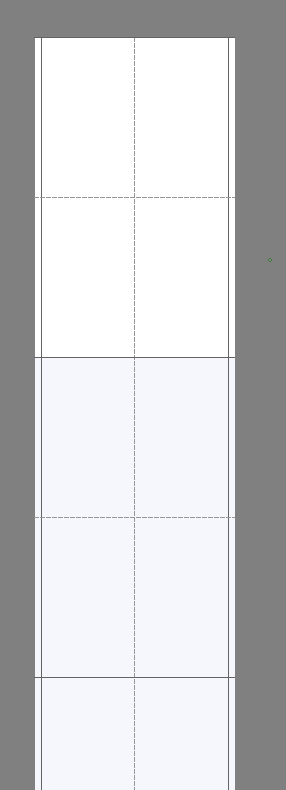

 . Really thank you.