Shortcut Composer

Shortcut composer v1.7.1

python Code style: black License: GPLv3 wojtryb website wojtryb twitter wojtryb portfolio


Extension for painting application Krita, which allows to create custom, complex keyboard shortcuts.

The plugin adds new shortcuts of the following types:

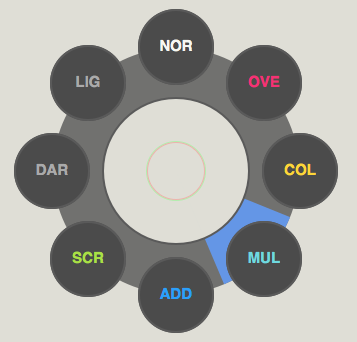
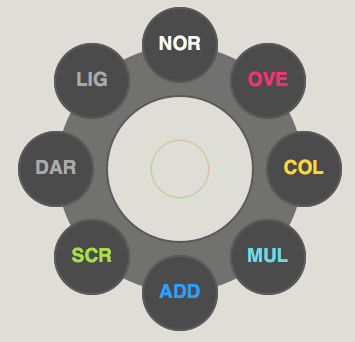
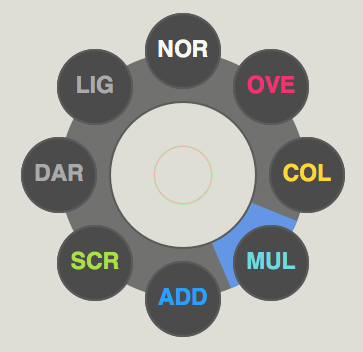
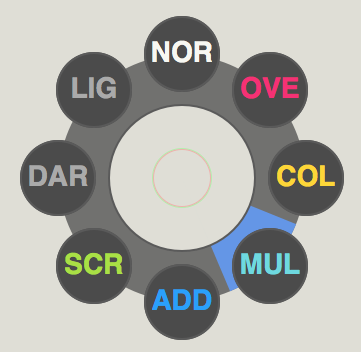
  • Pie menu - while key is pressed, displays a pie menu, which allows to pick values by hovering a mouse.
  • Cursor tracker - while key is pressed, tracks a cursor, switching values according to cursor offset.
  • Canvas preview - Temporarily changes canvas elements while the key is pressed.
  • Multiple assignment - repeatedly pressing a key, cycles between multiple values of krita property.
  • Temporary key - temporarily activates a krita property with long press or toggles it on/off with short press.
  • Rotation selector - while key is pressed, displays a widget, which allows to set an angle-based property.

Important links

Download the latest version of the plugin, or visit its github page.


Changelog videos

PIE MENUS - introducing Shortcut Composer

PIE MENUS - introducing Shortcut Composer

PIE MENUS - release video

Requirements

  • Version of krita on plugin release: 5.3.0
  • Required version of krita: 5.3.0

OS support state:

  • :ok: Windows (10, 11)
  • :ok: Linux (Gnome, KDE Plasma)
  • :x: MacOS (Plugin does not work properly on some OS versions)
  • :x: Android (Does not support python plugins yet)

Note
On Linux the only officially supported version of Krita is .appimage, which ships with all required dependencies. Running the plugin on Krita installed from Snap or distribution repositories is not recommended as it may not work out of the box and may require extra dependency-related work.

How to install or update the plugin:

Installation steps are THE SAME for installing the plugin for the first time and for updating it to the new version:

  1. Download the plugin:

    • Use the direct link for stable or development release.
    • Alternatively, on github page switch from main to any of the unstable versions, click the green button code and pick the download zip option.
  2. In krita’s topbar, open Tools > Scripts > Import Python Plugin From File and pick the downloaded .zip file

  3. Restart krita.

  4. Set custom shortcuts in Settings > Configure Krita > Keyboard Shortcuts under Scripts > Shortcut Composer: … sections. By intention, there are no default bindings.

Warning
Some keyboard buttons like Space, R, Y, V, 1, 2, 3, 4, 5, 6 are reserved for Krita’s Canvas Inputs. Assigning those keys to actions (including those from the plugin) may result in conflicts and abnormal behavior different for each OS. Either avoid those keys, or remove their bindings in Settings > Configure Krita > Canvas Input Settings.

For krita plugin programmers

Some parts of plugin code solve general problems, which can apply outside of Shortcut Composer. Those solutions were placed in separate packages that can be copy-pasted into any other plugin and reused there.

They depend only on original Krita API and PyQt5 with which krita is shipped.

  • Custom keyboard shortcut interface
  • Config system
  • Alternative Krita API

Visit github plugin page for more information.

138 Likes
Floating color palette
Plugin: Blender Layer - Live 3d View in Krita
Tips and Necessity of Using Eraser in Krita
KanvasBuddy - a Minimalist Toolbar
Krita Monthly Update – Edition 01
"Liquify" tool shortcut
Transform tool tweaks (hotkeys & UI)
More powerful pop-up panel
Is it possible to set up hold/release C for momentary Colour Selector?
Krita Monthly Update – Edition 09
Can you insert tools in the pop-up palette such as: selection, eyedropper, magic wand, without having to use the computer keyboard?
Docker size
Possible to put eraser on modifier key?
Disable main menu invocation with ALT?
Tips and Necessity of Using Eraser in Krita
Need help customizing interface to match Clip Studio
Color pick automatic swap into last used brush
Namespace missmatch growth
Krita Monthly Update – Edition 13
Spring-loaded tools?
Workspace resets time after time after reopening
Touchify Plugin - Tablet / Touch Friendly Accessibility & More
Select something = automatically enable MOVE mode
Feature request for dedicated Eraser Tool
[plugin] Pie Menu v0.4
Automatically switch to brush tool when brush selector or eraser is clicked
Krita Monthly Update – Edition 05
Temporary brush set (that can be saved together with a painting file)
Magicians Room
Touchify Plugin - Tablet / Touch Friendly Accessibility & More
Flexible Brush Management: Drag & Drop, Workspaces for brushes
Is it possible to switch between tags by pressing buttons?
How you handle all the brushes?
Pen display settings disappeared and default shortcut not working
Why is Krita so underused by professionals when it's so much more powerful than other programs

It’s here!!! Thank you for the hardwork. It was pretty awesome seeing on twit.
will go forward and bookmark this and hopefully have time over the weekend to test it out.

3 Likes

Thanks! Any feedback is very welcome :slight_smile:

2 Likes

Awesome release :pray::confetti_ball::sparkler:

3 Likes

Thank you! It was a lot of fun (and the project ended up being quite huge and crazy), but I really like how those things fit in my workflow. Glad you like it :slight_smile:

3 Likes

This is a game changer!
Going to replace 10 brush key plugin

6 Likes

Wojtryb, I am glad you found time to ivest you skills into Krita again. Your plugins is must have. Thank you a lot!

7 Likes

@tachiko yeah, I never used it in my workflow as it required too many keys, while I needed more presets than that :slight_smile:

I still have some ideas how to enhance the presets are picked there - we’ll see if something comes out of it :wink:

@I9S thank you! I’m glad you think this way. That plugin is significantly more complex than anything I made for krita so far, but it was a challenge I wanted to take :slight_smile:

Hope to see some people actually using all those features now in real life!

4 Likes

Wow this looks incredible! I’ll definitely be trying this out! :smiley:

2 Likes

I have now tested it. it works well need to incorporate on my workflow. That opacity , size :heart_eyes: I’m loving it. Might try to make my own set of that misc tool for tools that i want to be there - kinda want to modify it so it can be incorporated with my micropad.

This plugin works fantastic if you uses a micropad.

2 Likes

@rosi_is_artistic
Glad you think so. I’ll be happy to get to know how you liked it.

@kaichi1342
I’m happy you liked it :slight_smile: I put a lot of effort on documenting the code and designing it to be easily extendable, so as a plugin developer yourself, you should be able to easily change the values in current actions, and create your own ones by editing the actions.py.

Also in the feature/gui-action-editing branch I already have the ability to change them from the Configure Shortcut Composer dialog. It’ll probably not be viable anyway, as I’d like to have an edit-mode for those pie menus to make changes directly from the canvas.

3 Likes

There is small bug. I have RGBA Ramon’s brushes too, and when I selected any brush from additionally imported “wet RGBA bundle” (that has RGBA tag also), there is message error pops-up and brush doesn’t chage, but standart RGBA’s brushes is okay. Configure reloading didn’t bring the result.

Summary

KeyError
Python 3.8.1: C:\Program Files\Krita (x64)\bin\krita.exe
Sun Jan 8 04:56:58 2023

A problem occurred in a Python script. Here is the sequence of
function calls leading up to the error, in the order they occurred.

C:\Users\Igor\AppData\Roaming\krita\pykrita\shortcut_composer\input_adapter\event_filter.py in eventFilter(self=<input_adapter.event_filter.ReleaseKeyEventFilter object>, _=<PyQt5.QtGui.QWindow object>, event=<PyQt5.QtGui.QKeyEvent object>)
34 if event.type() == QEvent.KeyRelease:
35 for callback in self._release_callbacks:
36 callback(event)
37
38 return False
callback = >
event = <PyQt5.QtGui.QKeyEvent object>

C:\Users\Igor\AppData\Roaming\krita\pykrita\shortcut_composer\input_adapter\shortcut_adapter.py in event_filter_callback(self=<input_adapter.shortcut_adapter.ShortcutAdapter object>, release_event=<PyQt5.QtGui.QKeyEvent object>)
56 “”“Handle key release if the event is related to the action.”“”
57 if self._is_event_key_release(release_event):
58 self._on_key_release()
59
60 @property
self = <input_adapter.shortcut_adapter.ShortcutAdapter object>
self._on_key_release = >

C:\Users\Igor\AppData\Roaming\krita\pykrita\shortcut_composer\input_adapter\shortcut_adapter.py in _on_key_release(self=<input_adapter.shortcut_adapter.ShortcutAdapter object>)
43 else:
44 self.action.on_long_key_release()
45 self.action.on_every_key_release()
46
47 def _is_event_key_release(self, release_event: QKeyEvent) → bool:
self = <input_adapter.shortcut_adapter.ShortcutAdapter object>
self.action = <templates.pie_menu.PieMenu object>
self.action.on_every_key_release = <bound method PieMenu.on_every_key_release of <templates.pie_menu.PieMenu object>>

C:\Users\Igor\AppData\Roaming\krita\pykrita\shortcut_composer\templates\pie_menu.py in on_every_key_release(self=<templates.pie_menu.PieMenu object>)
116 self._pie_manager.stop()
117 if label := self._labels.active:
118 self._controller.set_value(label.value)
119
120 def _create_labels(self, values: List[T]) → LabelHolder:
self = <templates.pie_menu.PieMenu object>
self._controller = <core_components.controllers.view_controllers.PresetController object>
self._controller.set_value = <bound method PresetController.set_value of <cor…ollers.view_controllers.PresetController object>>
label = Label(value=‘n) RGBA-wet 02 Flat’, center=PyQt5…yQt5.QtGui.QPixmap object at 0x000001A9D266AC10>)
label.value = ‘n) RGBA-wet 02 Flat’

C:\Users\Igor\AppData\Roaming\krita\pykrita\shortcut_composer\core_components\controllers\view_controllers.py in set_value(self=<core_components.controllers.view_controllers.PresetController object>, value=‘n) RGBA-wet 02 Flat’)
34 def set_value(self, value: str) → None:
35 “”“Set a preset of passed name.”“”
36 self.view.brush_preset = value
37
38 def get_label(self, value: str) → QPixmap:
self = <core_components.controllers.view_controllers.PresetController object>
self.view = View(view=<PyKrita.krita.View object at 0x000001A9D26534C0>)
self.view.brush_preset = ‘m) RGBA 01 Thick-dry’
value = ‘n) RGBA-wet 02 Flat’

C:\Users\Igor\AppData\Roaming\krita\pykrita\shortcut_composer\api_krita\wrappers\view.py in brush_preset(self=View(view=<PyKrita.krita.View object at 0x000001A9D26534C0>), preset_name=‘n) RGBA-wet 02 Flat’)
48 def brush_preset(self, preset_name: str) → None:
49 “”“Set brush preset inside this View using its name.”“”
50 self.view.setCurrentBrushPreset(self.preset_map[preset_name])
51
52 @property
self = View(view=<PyKrita.krita.View object at 0x000001A9D26534C0>)
self.view = <PyKrita.krita.View object>
self.view.setCurrentBrushPreset =
self.preset_map = {‘1H) Blocking RZV’: <PyKrita.krita.Resource object>, ‘1H) Bristles 01 CD(stroke)’: <PyKrita.krita.Resource object>, ‘1H) Canvas 01 0CD’: <PyKrita.krita.Resource object>, ‘1H) Canvas 01 CD(stroke)’: <PyKrita.krita.Resource object>, ‘1H) Canvas 01 CD(stroke) 2’: <PyKrita.krita.Resource object>, ‘1H) Canvas 02 AC CD(stroke) v2’: <PyKrita.krita.Resource object>, ‘1H) Canvas 02 CD(stroke) v2’: <PyKrita.krita.Resource object>, ‘1H) Canvas 03 CD(stroke)’: <PyKrita.krita.Resource object>, ‘1H) Canvas 04 CD(stroke)’: <PyKrita.krita.Resource object>, ‘1H) Chalk CD S’: <PyKrita.krita.Resource object>, …}
preset_name = ‘n) RGBA-wet 02 Flat’
KeyError: ‘n) RGBA-wet 02 Flat’
cause = None
class = <class ‘KeyError’>
context = None
delattr = <method-wrapper ‘delattr’ of KeyError object>
dict = {}
dir =
doc = ‘Mapping key not found.’
eq = <method-wrapper ‘eq’ of KeyError object>
format =
ge = <method-wrapper ‘ge’ of KeyError object>
getattribute = <method-wrapper ‘getattribute’ of KeyError object>
gt = <method-wrapper ‘gt’ of KeyError object>
hash = <method-wrapper ‘hash’ of KeyError object>
init = <method-wrapper ‘init’ of KeyError object>
init_subclass =
le = <method-wrapper ‘le’ of KeyError object>
lt = <method-wrapper ‘lt’ of KeyError object>
ne = <method-wrapper ‘ne’ of KeyError object>
new =
reduce =
reduce_ex =
repr = <method-wrapper ‘repr’ of KeyError object>
setattr = <method-wrapper ‘setattr’ of KeyError object>
setstate =
sizeof =
str = <method-wrapper ‘str’ of KeyError object>
subclasshook =
suppress_context = False
traceback =
args = (‘n) RGBA-wet 02 Flat’,)
with_traceback =

The above is a description of an error in a Python program. Here is
the original traceback:

Traceback (most recent call last):
File “C:\Users\Igor\AppData\Roaming\krita\pykrita\shortcut_composer\input_adapter\event_filter.py”, line 36, in eventFilter
callback(event)
File “C:\Users\Igor\AppData\Roaming\krita\pykrita\shortcut_composer\input_adapter\shortcut_adapter.py”, line 58, in event_filter_callback
self._on_key_release()
File “C:\Users\Igor\AppData\Roaming\krita\pykrita\shortcut_composer\input_adapter\shortcut_adapter.py”, line 45, in _on_key_release
self.action.on_every_key_release()
File “C:\Users\Igor\AppData\Roaming\krita\pykrita\shortcut_composer\templates\pie_menu.py”, line 118, in on_every_key_release
self._controller.set_value(label.value)
File “C:\Users\Igor\AppData\Roaming\krita\pykrita\shortcut_composer\core_components\controllers\view_controllers.py”, line 36, in set_value
self.view.brush_preset = value
File “C:\Users\Igor\AppData\Roaming\krita\pykrita\shortcut_composer\api_krita\wrappers\view.py”, line 50, in brush_preset
self.view.setCurrentBrushPreset(self.preset_map[preset_name])
KeyError: ‘n) RGBA-wet 02 Flat’

It was fixed after Krita’s restart. Still it is interesting, since my custom tag worked right after changing in script preferences.

And what “Pie icon global scale” should do? I thought it influences to brush icon size, but changing numbers don’t affect anything, instead I used “Pie global scale”.


2 Likes

Amazing plugin! Thanks for sharing. :slight_smile:

Some issues I’ve encountered:

  • Dark tool icons on dark background for the misc/transform tool pie menus when using a light/neutral color theme.
  • Scroll isolated layers and Scroll timeline or animated layers won’t work if a locked layer is selected.

When run on macOS:

  • Often but not always when switching pie menu item I can no longer draw or pan canvas, until I move the cursor off canvas and back.
    Happens consistently if cursor is in the dead zone or the fully transparent area around it. (Could be that it’s only those areas but not sure.)

  • The pie menus doesn’t really work in fullscreen mode(opens in a new full screen virtual desktop).
    Can be solved by adding Qt.Tool as window flag in pie_widget.py.

On openSUSE tumbleweed with Plasma:

  • Pie menu uses the system open/close window animation unless in full screen mode with dockers shown.
    Can also be solved by adding Qt.Tool as window flag in pie_widget.py. (No idea if it’s the right way to do it.)
2 Likes

if there is kritamarket this would be a top selling addon.

This is one of the few addons that implements custom pie widgets, on top of that providing a nice wrapper for the underlining krita apis. I can see rotate pie, animation pie and script pie being possible with this as a base.

4 Likes

Hi, thank you for reporting.

There is this issue that is going to be fixed in 1.0.1 release soon - it was possible for deactivated and overwritten presets to appear in the pie menu. Maybe tried to pick one of these?

I’m not sure yet it isn’t a different issue, but I checked that the fresh list of brushes is fetched from krita each time you use the pie menu, so it looks fine. I’ll have to experiment with disabling and enabling brushes once the fix is done anyway.

Pie icon global scale sets the maximal size of the icons but it won’t change anything if there are so many icons that they fill the entire pie-menu.

3 Likes

Thank you for testing!

You’re the first person with MacOS which I couldn’t test before - I’m so glad it works in any way, as I expected it to be way worse after porting the plugin from Linux to Win10.

  • Dark icons - good catch. I haven’t thought that the icons will have reversed colors on light themes. I’ll check out if I can detect the theme, and display white pie menus accordingly.
  • Scrolling layers with locked layer - I’ll check if I can fix that with action flags. In the worst scenario I can always temporarily unlock the layer while the action is ongoing, so it should be fixable.
  • Canvas freeze - this seems like something which can make the plugin unsupported on MacOS for now… Right now I have no idea what can cause it or how to fix it.
  • Fullscreen mode and native animations - deiflou advised me to use this set of flags:
    flags = self.windowFlags() | Qt.Popup | Qt.FramelessWindowHint | Qt.NoDropShadowWindowHint
    For Win10 and Linux it seems to disable window animations, make it not a separate Window, and (unlike Qt.Tool) it does not allow to spawn multiple Widgets at the same time. It would be great if you could confirm that it works on MacOs. Otherwise I’ll use Qt.Tool for this OS only.

If I can use your help once more… Does the text labels have the right size?

I had to use different font scale for Win10 and Linux, so the scale I picked for MacOS is picked randomly now.

2 Likes

Yes, the plugin does way more than just those actions provided by default.

The main idea behind it (what is reflected by its name) is that it should allow to create actions customized for a specific user with those being just actions I did for myself, and some I thought would be good defaults.

There is a template for each type of action (Pie menu, mouse tracker…) and controllers that handle specific krita properties (brush size, canvas zoom…). Any template can be used with any controller, and can be provided with custom list of values, so there are a lot of customization possibilities.

Apart from that I got my own api_krita package, independent from the rest of the plugin, that can be copy-pasted by plugin developer and used instead of the default one. I think it’s more pythonic, and allows to use auto-completion if your text editor supports it.

3 Likes

Hi @wojtryb, thanks for developing this plugin. It looks very useful and neatly designed. Will give it a spin next time I open Krita for sure. The scroll brush size and opacity alone are superb! :ok_hand::smiling_face_with_three_hearts:

I have a few question/ suggestions if you don’t mind, is it possible for to add a dedicated eraser brush shortcut (like Photoshop’s E key)? It could perhaps be hold to toggle eraser mode and tap the button to switch to the last used eraser brusht. I have been using the three brushes plugin for erasers, but had mixed results.
Similarly, for last used brushes; hold to temporarily switch to the last use brush and tap the button to activate the last use brush. Tap again to get back to the brush you were using before that (so brush A > brush B > Brush A, etc.).

What other brush settings do you have access to for scrolling (e.g. hardness, saturation, hue, lightness or brush rotation > although the last ons may not be supported yet)? Or maybe scrolling for blend modes for the brush or for a layer (so you could preview the blend mode on the fly)?

Really exiting stuff, thanks again!

2 Likes

Yes, that works!

Sure. :slight_smile: It’s a bit smaller than your screenshot.

Current:
1 default

0.40:
2 0.40

0.50:
3 0.50

0.60:
4 0.60

0.75:
5 0.75

3 Likes

@Hologram
Thanks! I’ll be looking for your feedback once you give it a try.

  • dedicated eraser - aren’t there like a dozen of plugins for that already? :wink: As I never used PS, I don’t think I can do this well enough to satisfy PS users. This thing needs a proper implementation in krita itself with help of users interested in it.
  • temporary last preset - out of scope for now, as remembering presets gets tricky when you don’t go back to a preset. I wouldn’t want to track the history of selected brushes.
  • properties - hardness would require peeking into krita dockers. Did that already but I don’t want to overuse it, as this is likely to break itself, or with krita updates. RBG, HSV are possible, I thought about exposing those. Brush rotation was never available to python. Yesterday @kaichi1342 managed to peek it from krita, and if it’ll work I’m going to make a Mouse Tracker for that as I always needed it myself. Hope that Dmitry’s lager refactor will allow to finally, officially give access to this property.
  • scrolling blend modes - that’s already possible by editing the actions.py and actions.action files of the plugin. If you download code editor like VsCode, drag&drop the plugin folder to it (Settings > Manage Resources > Open Resource Folder > ./pykrita/shortcut-composer), you even may be able to do it yourself by analyzing how the code looks like, and by hovering a mouse over elements there for my coding hints.

@emilm
Huge thanks again for helping. I’m glad the flag combination works - then it’ll be common to all OS’s.
Looks like every system has a different scale required. 0.6 will make it look like it looks everywhere else I think. I wonder why the label seems to be aligned too much to the top, but that doesn’t look like a breaking problem for now.

4 Likes